

Why am I missing menu items like 'Favs' at the top of Workouts in the app?
Turn on Show in App for your lists in List Manager on the website so Favs and your other lists appear as buttons at the top of the mobile app's Workouts tab.
- In the mobile app, check your account. The list buttons at the top of the Workouts tab (Favs and your other lists) show only on a paid account. A free account or guest sees a zone filter there instead.
- On the website, open My Workouts (app.trainerday.com/library) and click List Manager.
- Click the list (for example Favorites), tick Show in App, give it a Short Name (the button's label in the app), then click Save List.
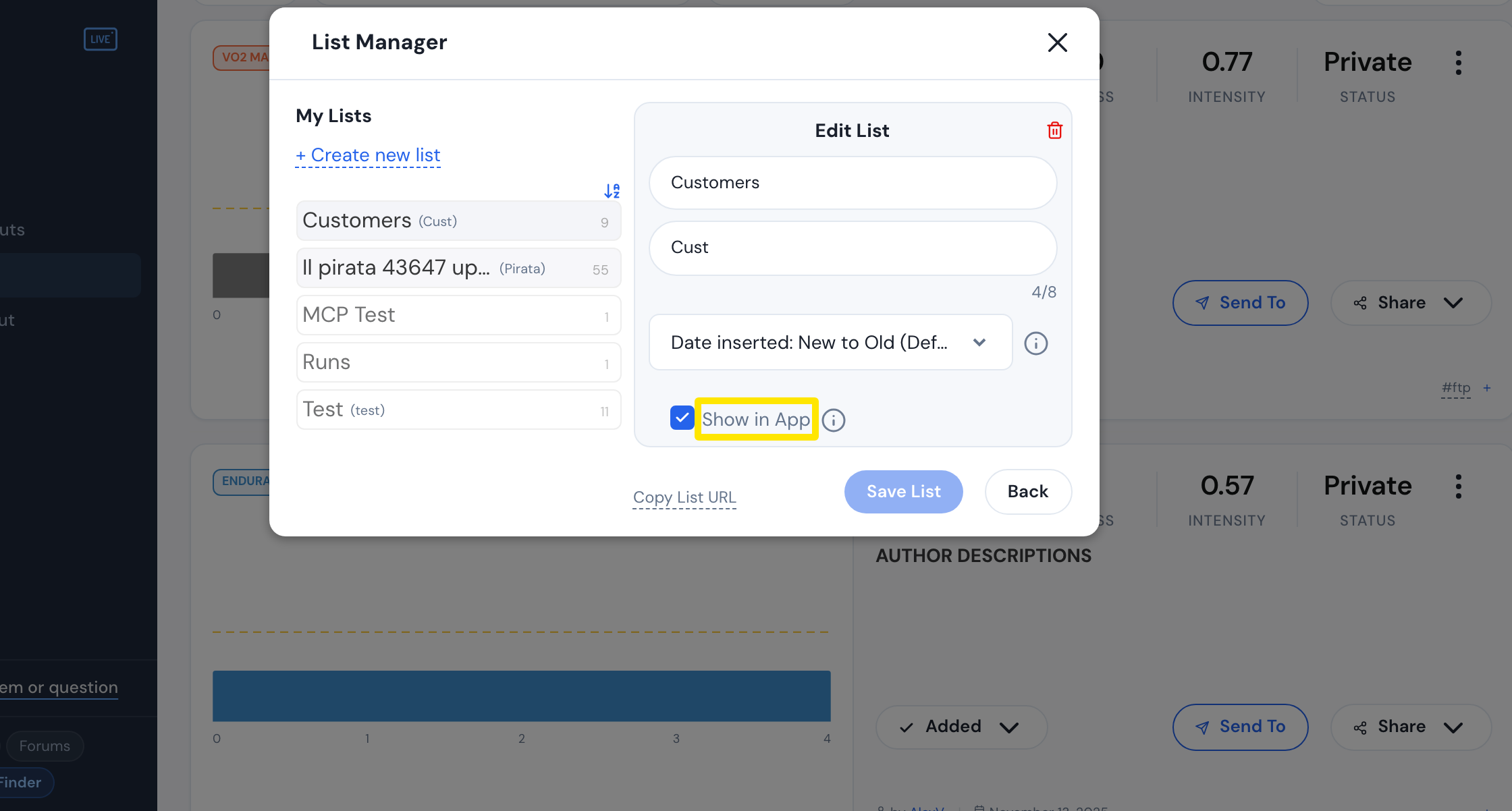 Where: Website · My Workouts → List Manager · open it
- Back in the mobile app, the list appears as a button at the top of the Workouts tab.
Works on: Mobile app only. The website and desktop app don't have this list bar.