

How do I find my custom workouts in the mobile app?
In the mobile app, open the Workouts tab, tap the workout list dropdown at the top, and pick "My Creations - Unlisted" or the list you saved your workouts into.
- In the mobile app, open the Workouts tab.
- Tap the workout list dropdown at the top of the Workouts tab.
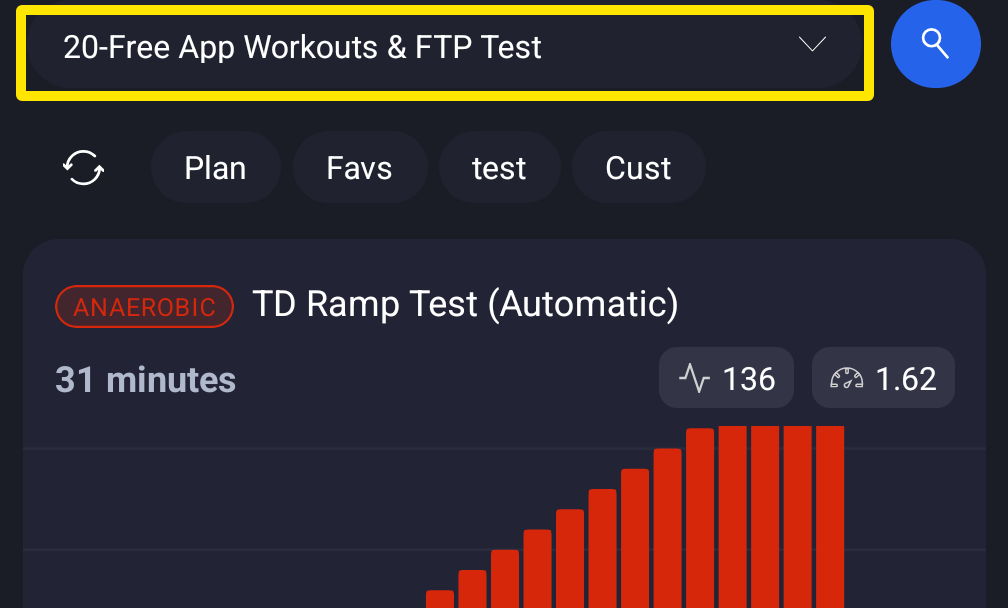 Where: Mobile app · Workouts tab
- Pick My Creations - Unlisted for workouts you made or imported without choosing a list. Or pick the list you saved or imported them into.
- If a new workout is missing, tap the refresh button at the top of the workout list.
Good to know: Lists are for paid users. On a free plan the app shows only 20-Free App Workouts with no dropdown. Free users can ride only those 20 workouts.
Works on: Mobile app (iPhone/Android) and website (My Workouts, app.trainerday.com/library). In the desktop app, lists are on its Library page.