

How do I see my monthly time and distance stats?
TrainerDay has no monthly time or distance totals; the closest view is the Weekly Cycling Hours chart in My Activities on the website, where you can see each week's time and distance over the last 12 months.
- On the website, click My Activities in the left sidebar (open it).
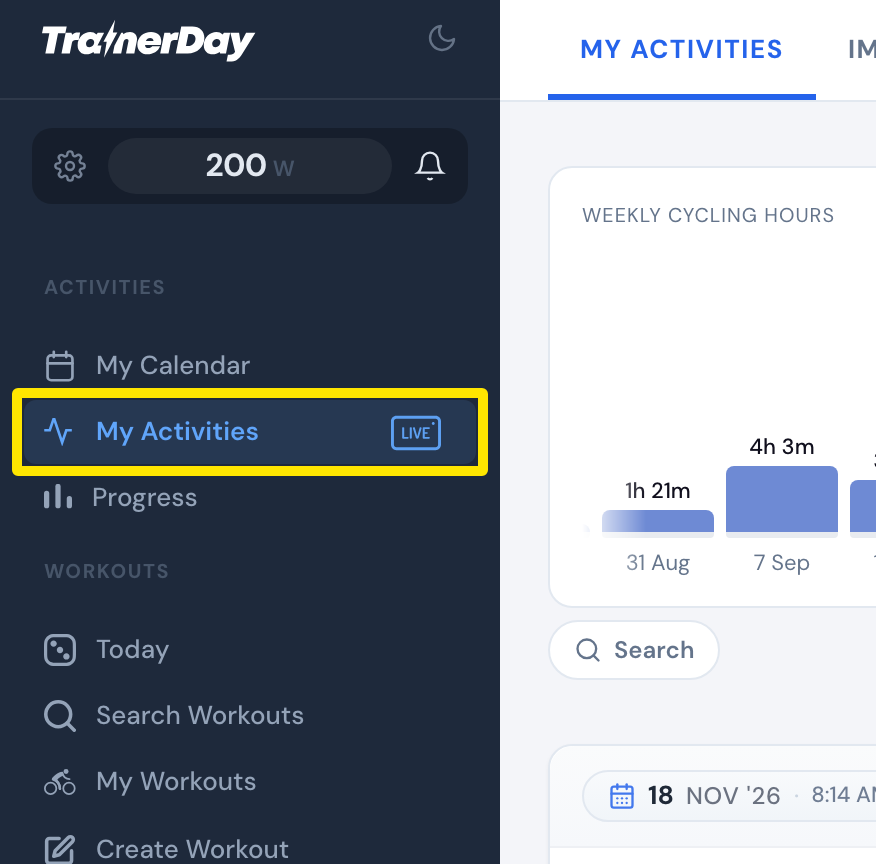 Where: Website · My Activities · open it
- In the Weekly Cycling Hours chart at the top, click 12 months.
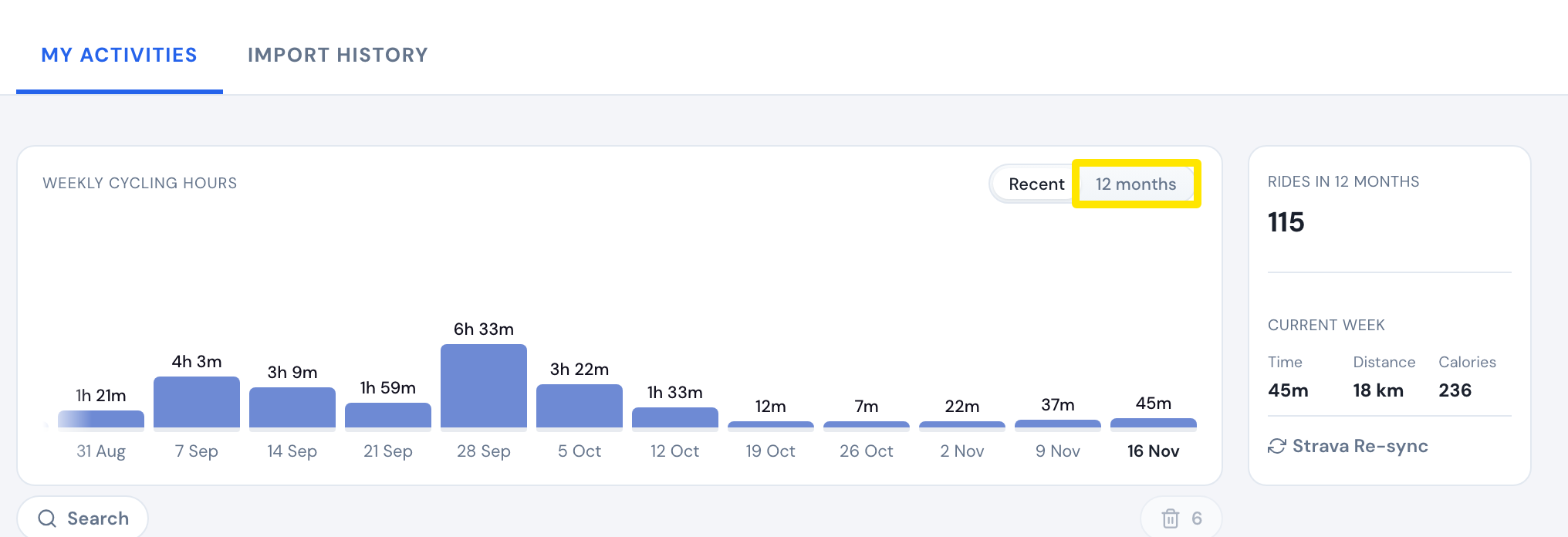 Where: Website · My Activities · open it
- Point at a week's bar to see that week's time, rides, distance and calories.
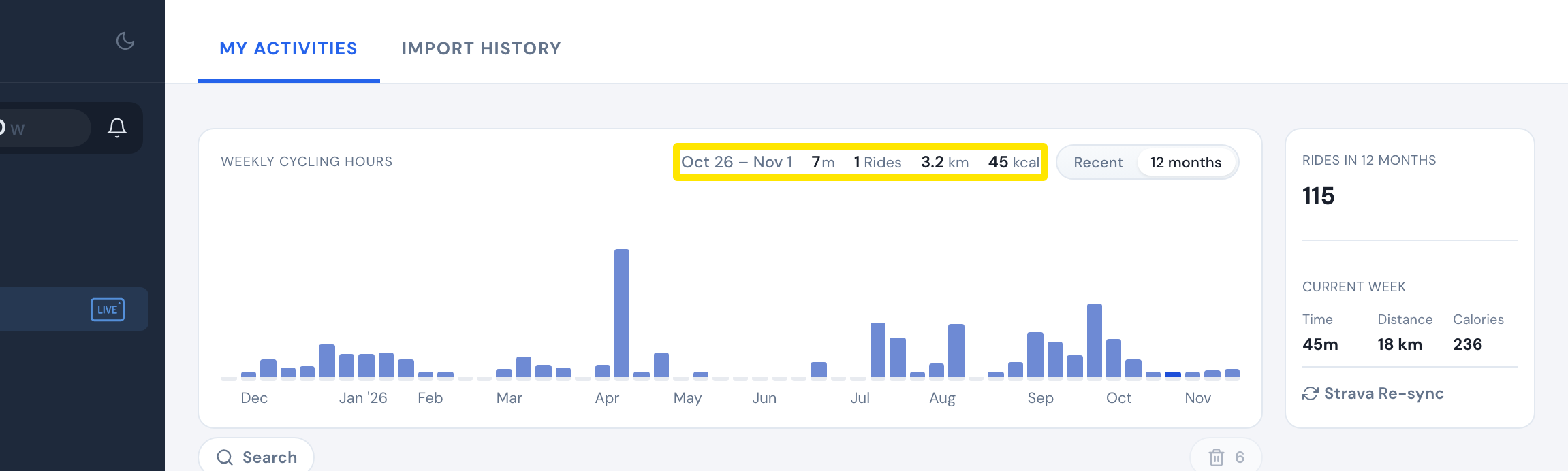 Where: Website · My Activities · open it
Good to know: The Weekly Cycling Hours chart is for Pro members. Free members see it locked.
Works on: Website. The mobile app's Activities tab shows only This week and Weekly hours. The desktop app has no time or distance totals.