

How do I play a workout without a Bluetooth trainer connected?
In the TrainerDay mobile app, you can play a workout with no trainer connected by tapping Test Mode, which uses simulated ride data and does not save the ride. A real, saved ride needs a trainer, a power meter or, on mobile, a heart rate monitor.
If you have a basic (non-smart) trainer and want a real, saved ride, see How do I ride with an older non-smart trainer?
- In the mobile app, open the workout you want to ride and tap Start with no device connected. A No training device connected window opens.
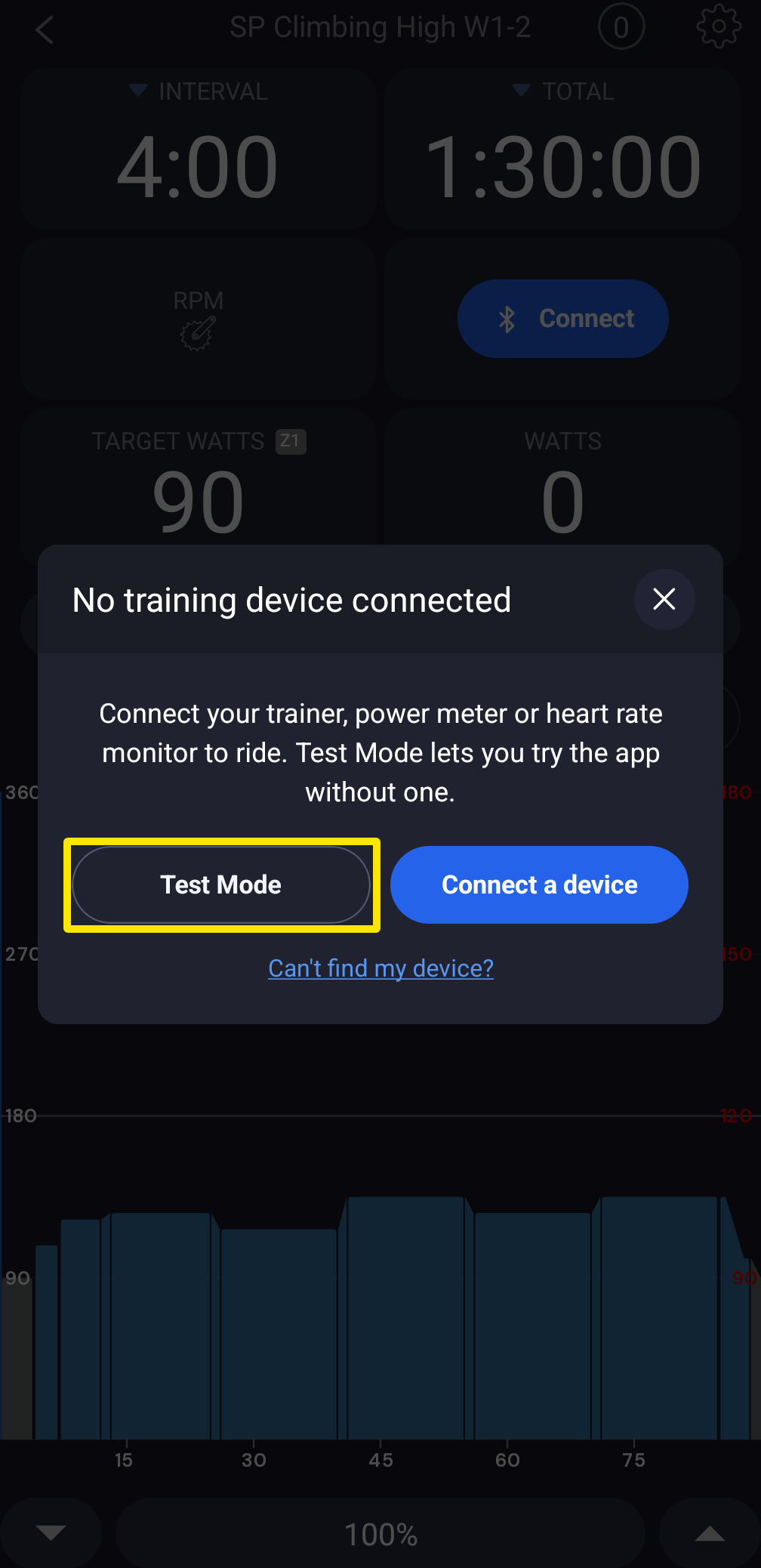 Where: Mobile app · Quick Start tab → Start with no device connected
- Tap Test Mode to play the workout with simulated ride data. The ride is not saved. To save the ride, tap Connect a device and connect your trainer, power meter or heart rate monitor.
Good to know: The desktop app does not start a bike workout unless a trainer or power meter is connected. The website has no workout player.
Works on: Mobile app (Test Mode).