

How do I ride a TrainerDay workout outdoors?
To ride a TrainerDay workout outdoors, open it on the website, click Send To, and send it to your Garmin, Wahoo, Hammerhead or COROS bike computer as a power workout in the Simplified format or as a heart rate workout.
- On the website, open My Calendar and click the planned workout to open it. You can also open any workout on its own page.
 Where: Website · My Calendar → click a planned workout · open it
- Click Send To and choose your bike computer: Garmin, Wahoo, Hammerhead or COROS. It must be connected first on the Connections page.
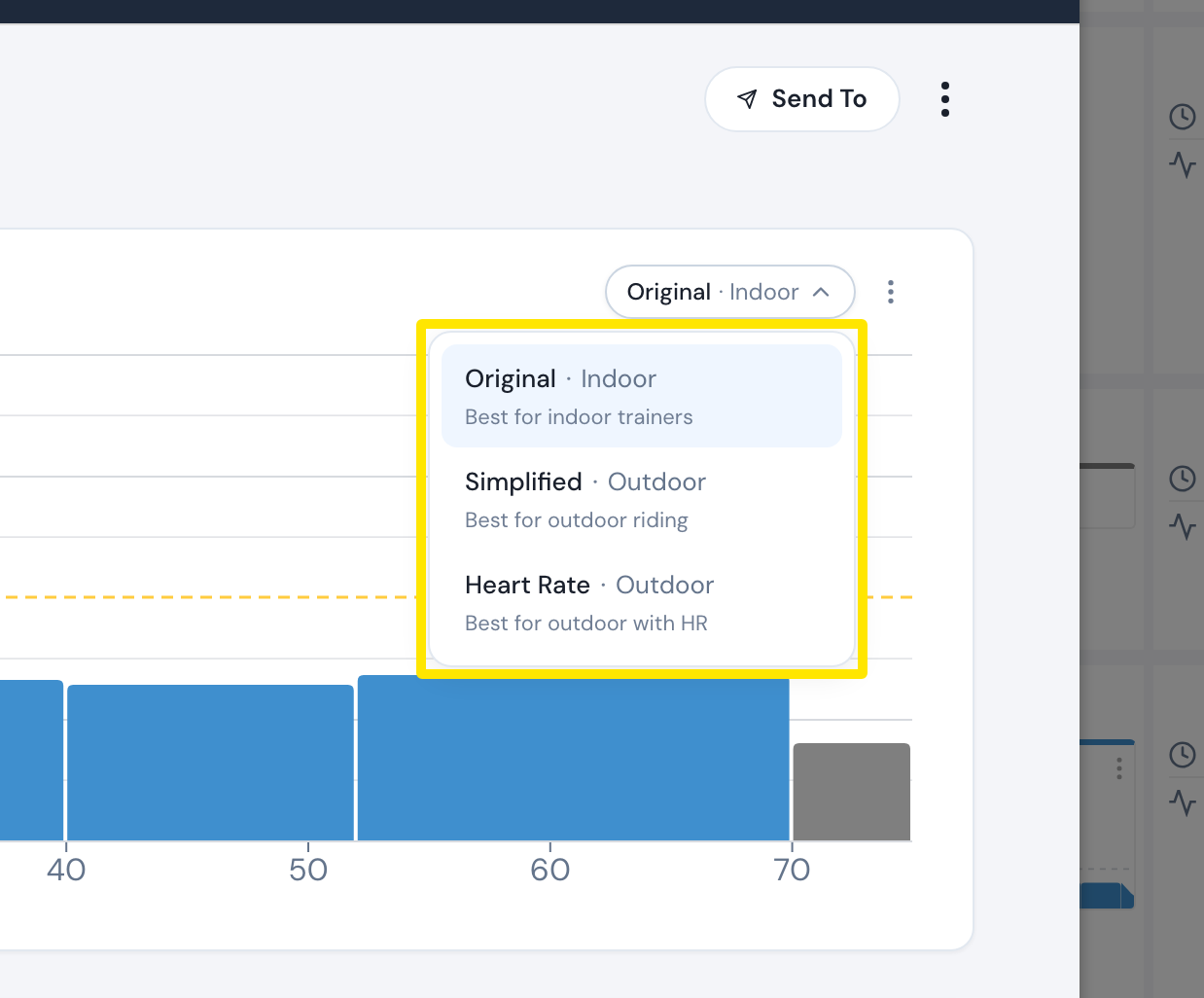
- Choose Power or Heart Rate. Power needs a power meter on the bike. Heart Rate does not. For Power, choose Simplified in the format menu. It is the good choice for outdoor riding.
- Click Send, then ride the workout from your bike computer.
Good to know: To send calendar workouts instead, click the 3-dots button on a workout in My Calendar and choose Convert to Outdoor or Convert to HR. Then turn on Calendar Sync for your bike computer on the Connections page.
Works on: Website. The mobile and desktop apps also have an Outdoor choice in Send To.