

How do I save someone else's workout to my library?
To save someone else's workout to your library, open it on the TrainerDay website, click Add to and pick one of your lists; use Copy Workout only if you want to change it.
- On the website, open the workout: its page, or find it in Search Workouts.
 Where: Website · a workout's page (click a workout in Search Workouts or My Workouts)
- Click Add to and pick one of your lists (or Add to Favorites). The button then reads Added, and the workout shows in that list in My Workouts and in the apps.
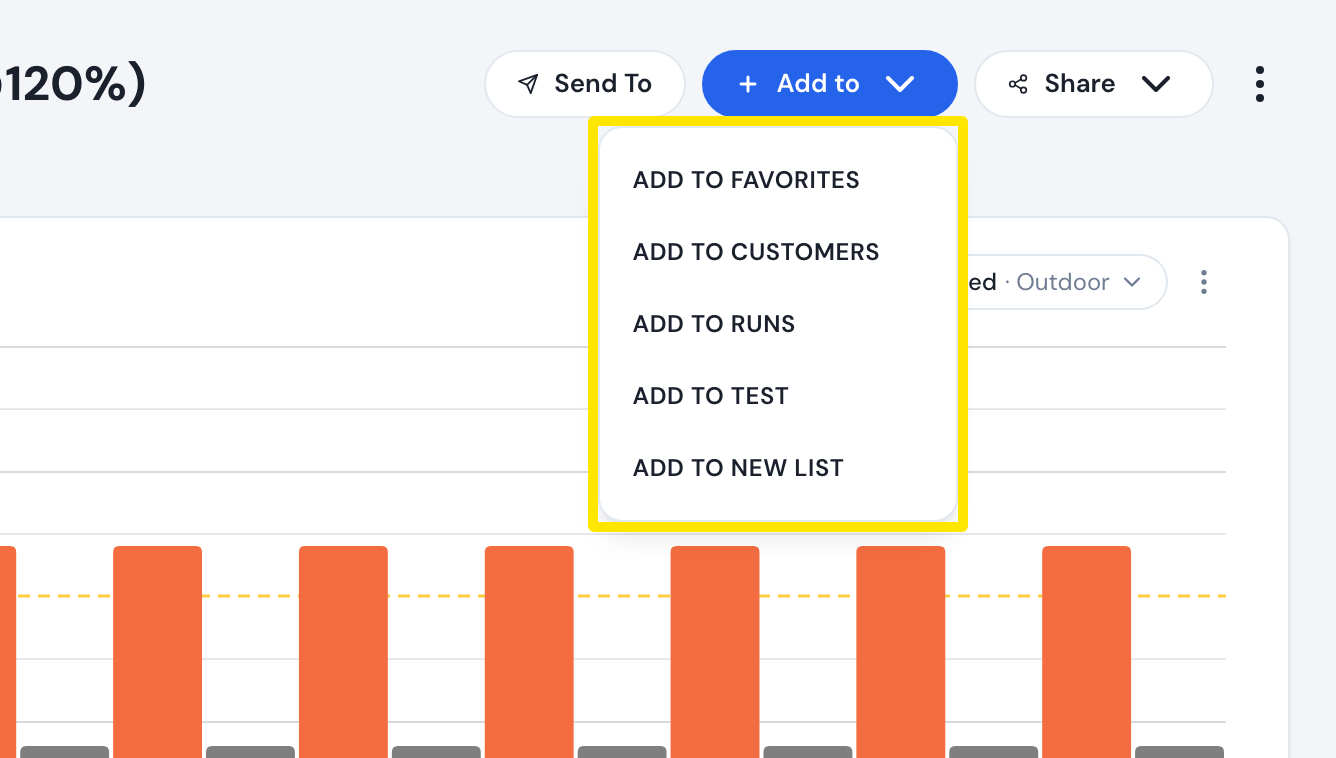 Where: Website · a workout's page (click a workout in Search Workouts or My Workouts)
- Only if you want to change it: click the ⋮ (three dots) and choose Copy Workout. The copy opens in the editor; click Save workout to make a new workout of your own.
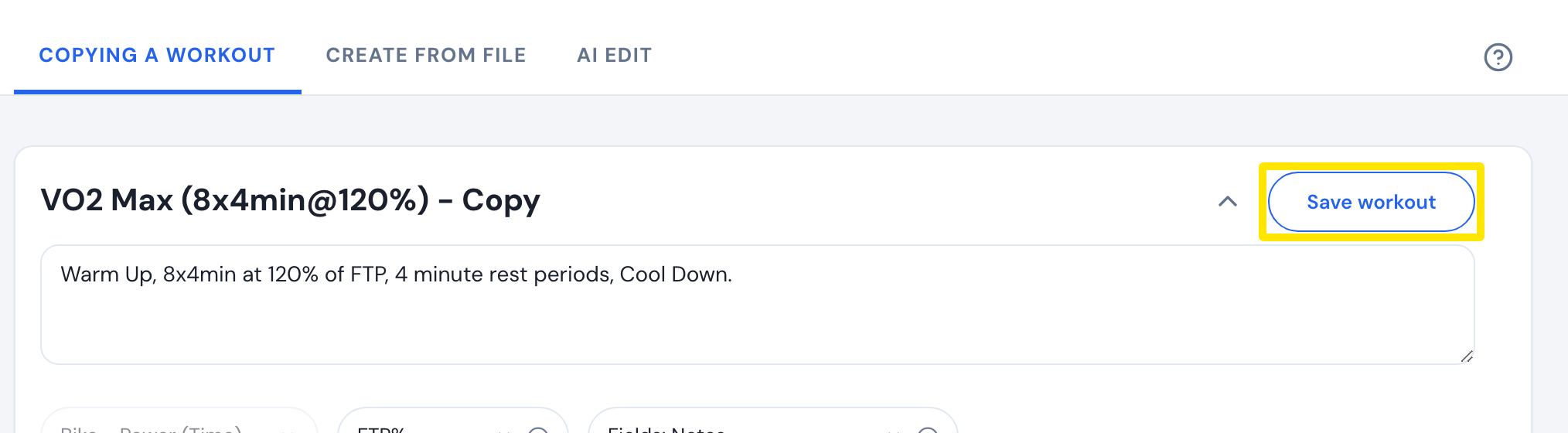 Where: Website · a workout's page → ⋮ → Copy Workout (opens the editor)
Good to know: A workout you add to a list stays the author's; only a saved copy is yours to edit.
Works on: Website (Add to and Copy Workout); mobile app (+ Add to List on workout cards, no copy; AI and calendar workouts cannot be added); desktop app (Add to List, no copy).