

How do I see which zone a workout spends the most time in?
On the website, open the workout's page and scroll below the description: the zone with the most minutes in the time-in-zone table is where the workout spends the most time.
- On the website, open the workout's page from My Workouts or Search Workouts.
- Scroll below the description to the time-in-zone table. It lists each zone (Recovery, Endurance, Tempo, Threshold, VO2 Max, Anaerobic) with its percent and minutes. The zone with the most minutes is where the workout spends the most time.
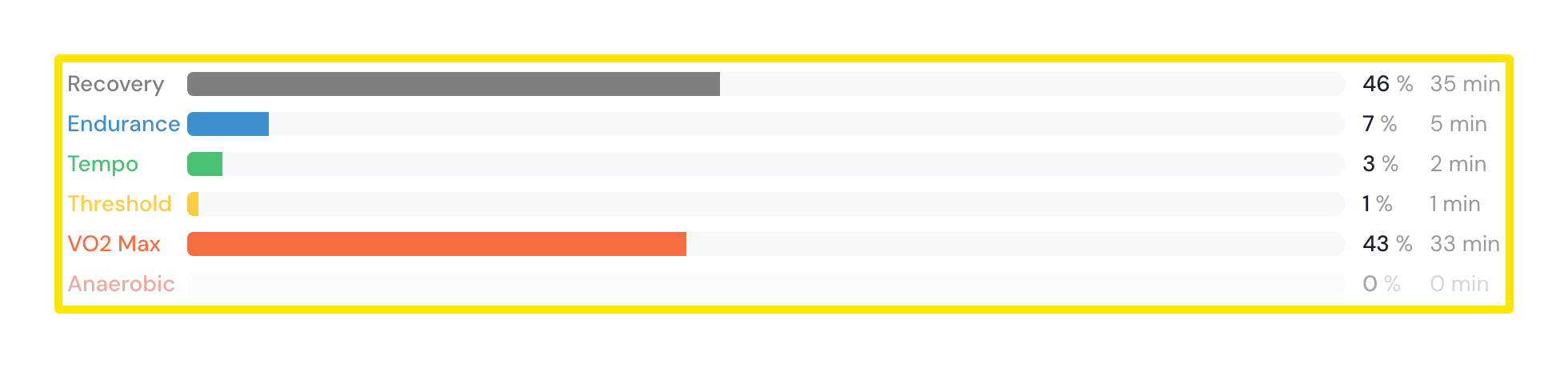 Where: Website · a workout's page (click a workout in Search Workouts or My Workouts)
- The colored badge in front of the workout's name shows its dominant zone. This is the zone with the most training effect, so it can differ from the zone with the most time.
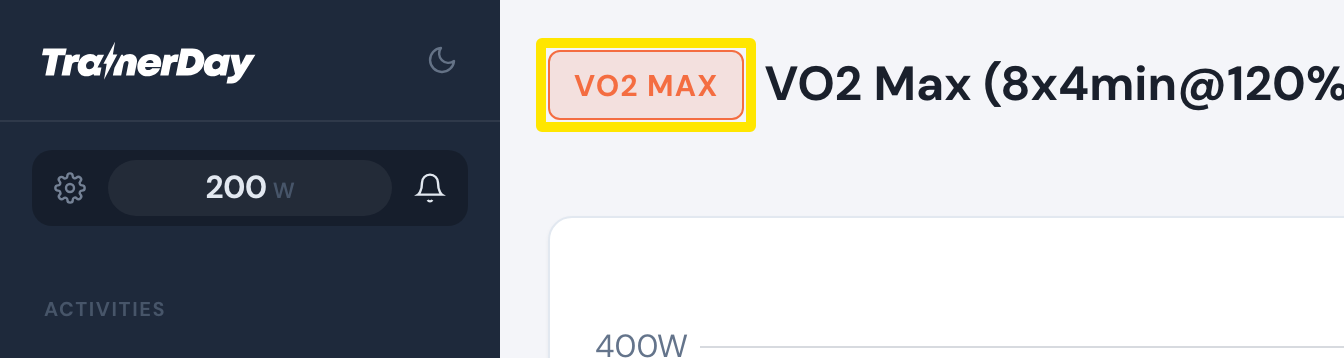 Where: Website · a workout's page (click a workout in Search Workouts or My Workouts)
Good to know: Running workouts show a session type badge instead and have no zone table.
Works on: Website for the time-in-zone table; mobile and desktop apps show only the dominant zone color.