

Getting Started with TrainerDay
Alex VanLaningham · Founder of TrainerDay ·
TrainerDay is split across the website and the apps. You find workouts, build plans and create workouts on the website. You ride in the mobile or desktop app. Here is the order most people use it in.
Where to find it:
- Website → Search Workouts · open it
- Mobile app: Workouts tab → Ride Now
- Desktop app: Today or Workouts tab → Ride Now
Connect your trainer
- In the mobile app, open the Settings tab and tap Add Devices.
- Pedal for a few seconds to wake the trainer. It appears under Available.
- Tap the + next to your trainer, then tap Done.
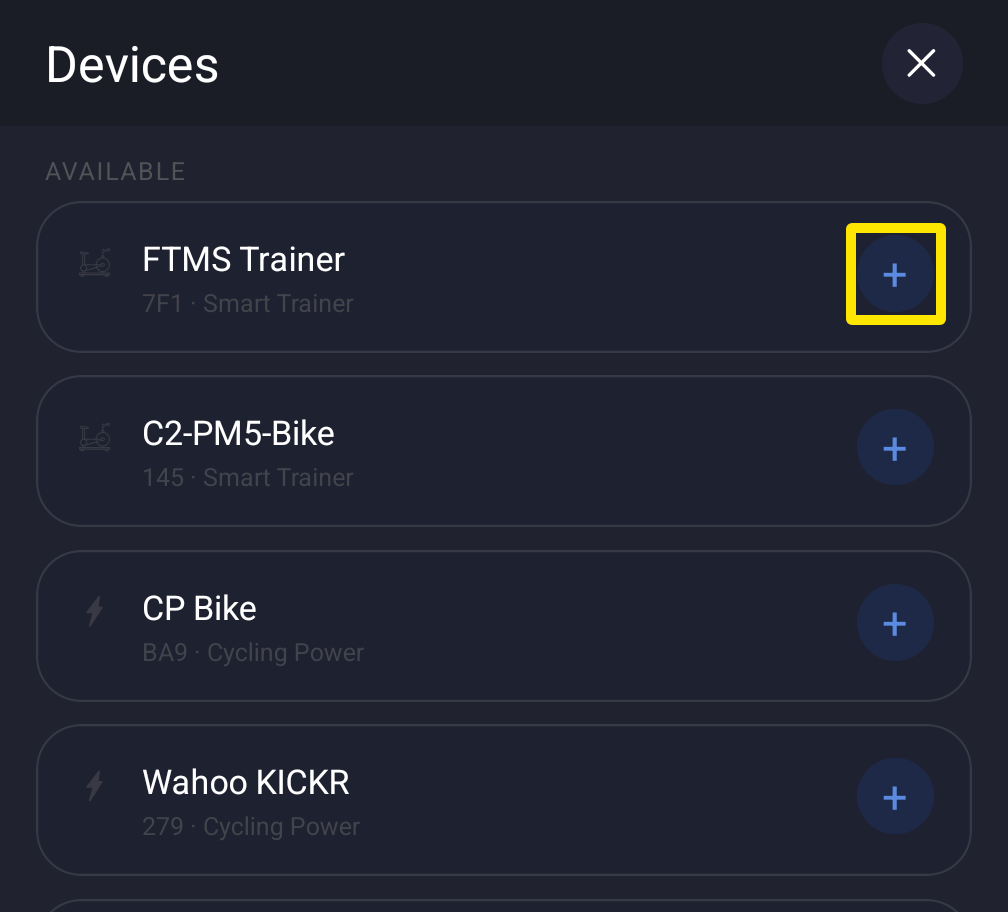 Where: Mobile app · Settings tab → Add Devices
In the desktop app, click the Bluetooth/ANT+ button at the top right, then click Connect. A trainer connects to only one app at a time, so close Zwift or other apps first.
Ride your first workout
- In the mobile app, go to the Workouts tab and tap Ride Now on a workout.
- Press Start, or just start pedaling. The ride starts by itself when power or cadence comes in.
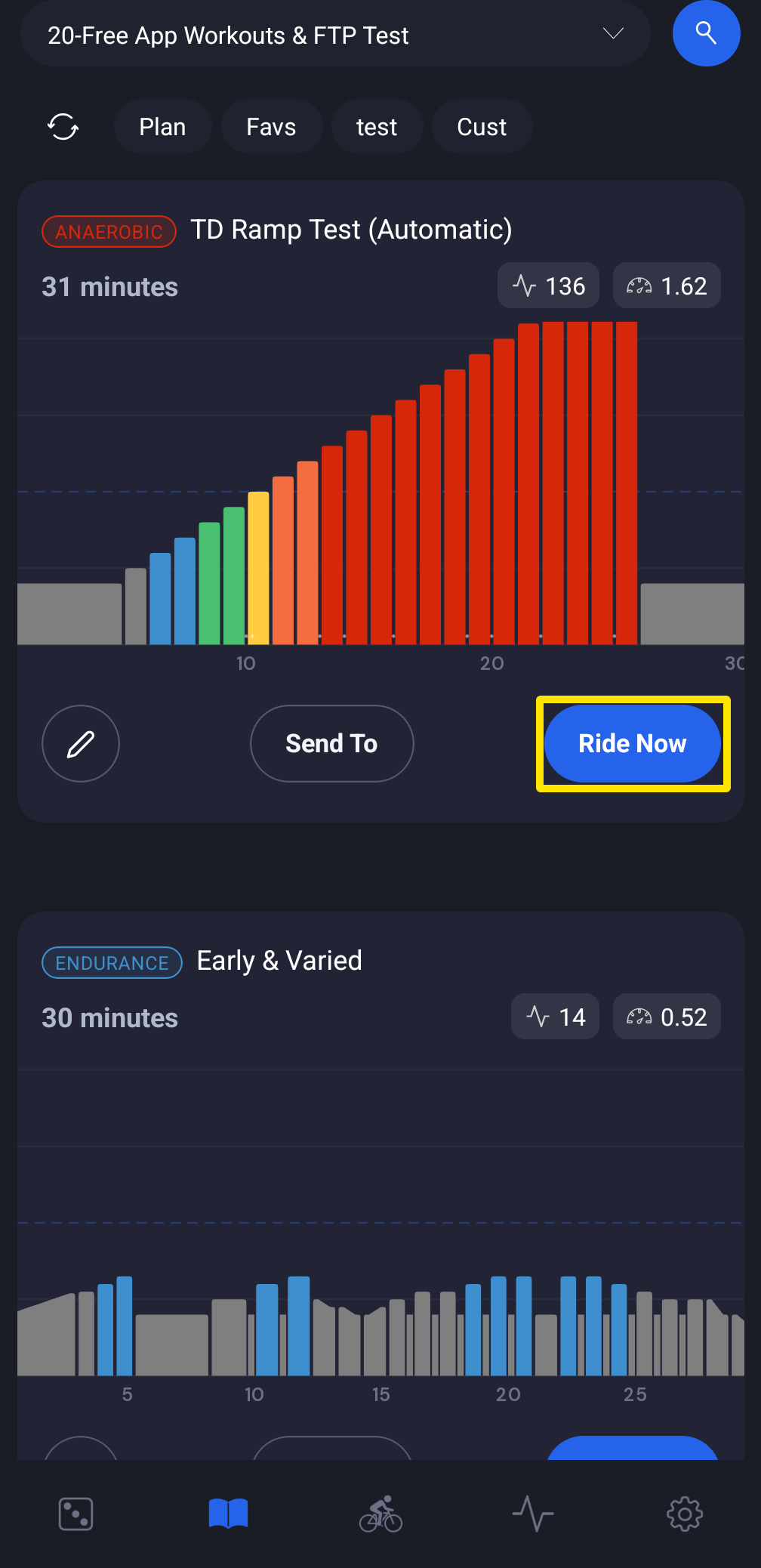 Where: Mobile app · Workouts tab
To ride by heart rate, tap HR+ on the workout screen and set your BPM TARGET. The app adjusts your power from your heart rate. HR+ is a paid feature and needs a trainer that the app can control in ERG.
Find workouts
On the website, open Search Workouts and click More to filter by Duration (min), Stress or Intensity. These filters need a premium account. The apps have simpler Duration, Zone and Stress filters on the Workouts tab.
Build a training plan
On the website, click Plan Builders in the sidebar. You have two choices:
- Start with Coach Jack → asks about your goal, event date and how you like to feel at the end of a ride. It then builds a plan in phases.
- Try AI Builder on the AI Plan Builder (Beta) card lets you describe your plan in a chat. It needs a Pro account.
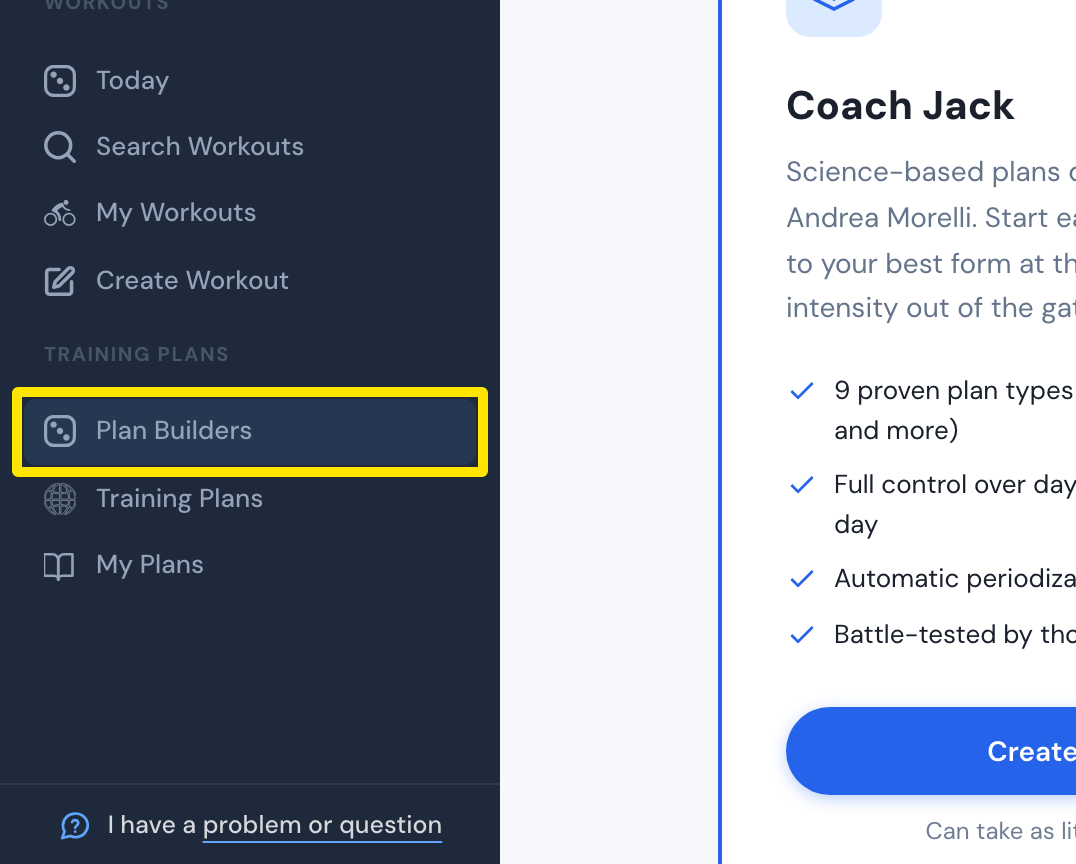 Where: Website · Plan Builders · open it
When you send a plan to My Calendar, its workouts show up in the apps.
Create your own workout
- On the website, click Create Workout in the sidebar.
- Type a Title, then enter the Minutes and FTP% for each row.
- Click Save workout, then click Save.
The mobile app has the AI Workout Builder instead. The desktop app has no editor.
Use your phone as a remote
Start a workout in the desktop app. Then, in the mobile app signed in to the same account, tap Remote Control on the Today tab or under Settings. Both devices need an internet connection.
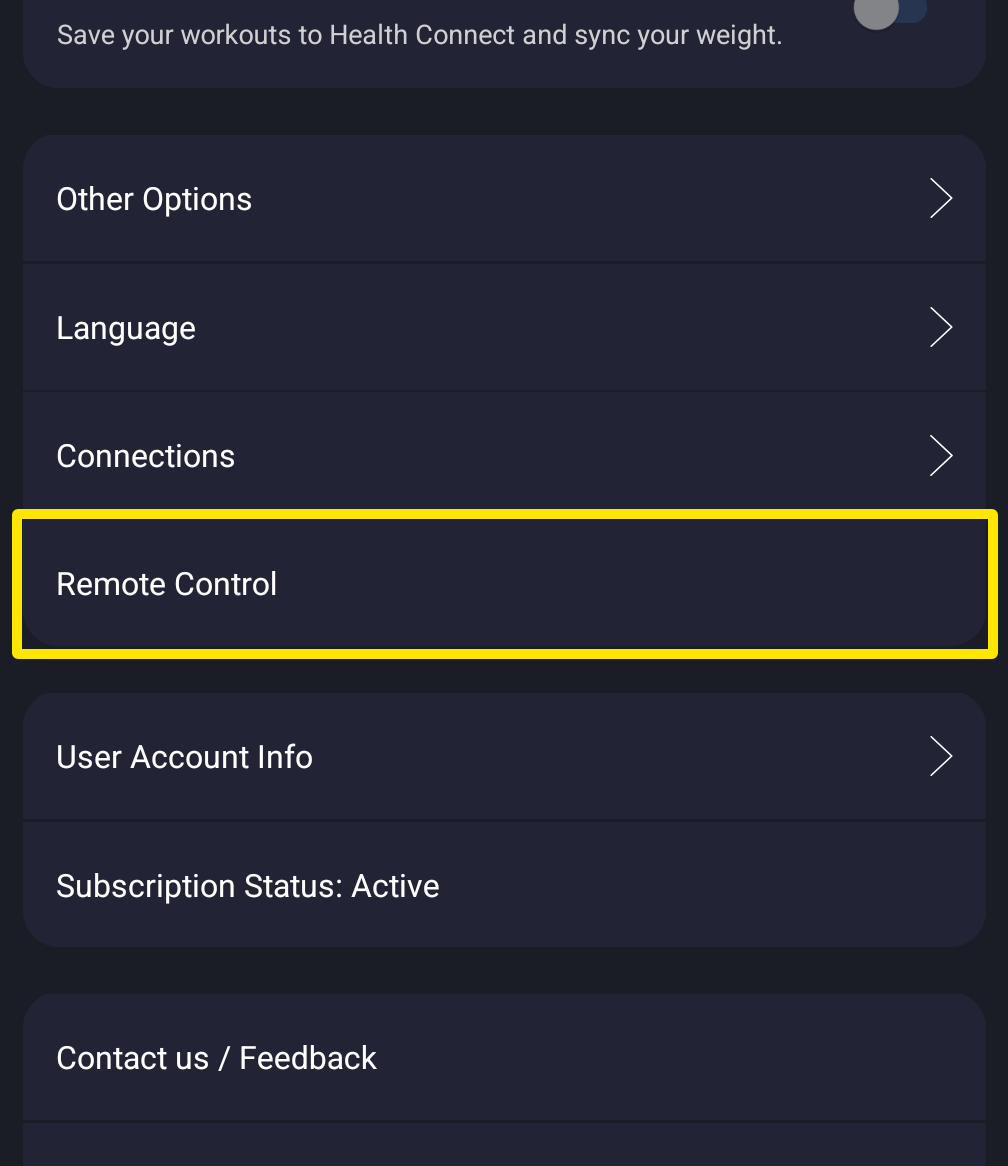 Where: Mobile app · Settings tab
Quick answers
- How do I start my first ride in TrainerDay?
- How do I connect my smart trainer to the app?
- How do I filter workouts by time, intensity and type?
- How do I choose the right training plan for my goal?
- How do I build a training plan with the AI plan builder?
- How do I ride a workout in HR+ mode so power follows my heart rate?
- How do I create my own workout?
- How do I use my phone as a remote control for the desktop app?