

How do I add a workout on repeating days?
Add a workout to your TrainerDay calendar on the website and set it to repeat on chosen weekdays every 1 to 12 weeks until an end date.
- On the website, open My Calendar, point at the first day and click the + at the top of it.
- Click Add a Workout, find the workout in Search Workouts or My Workouts and click it.
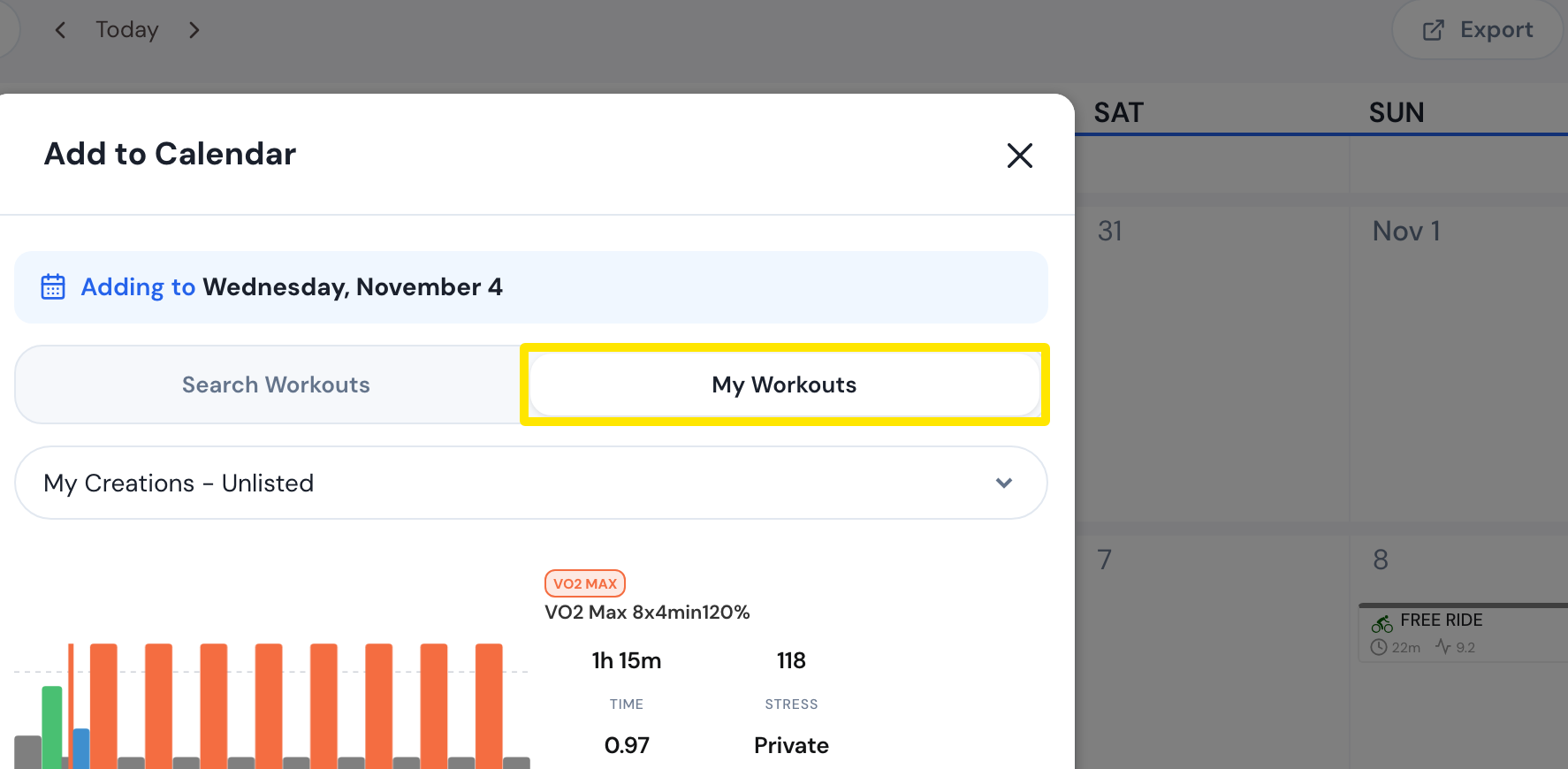 Where: Website · My Calendar · open it
- Open Repeat every and pick how often: 1 week up to 12 weeks.
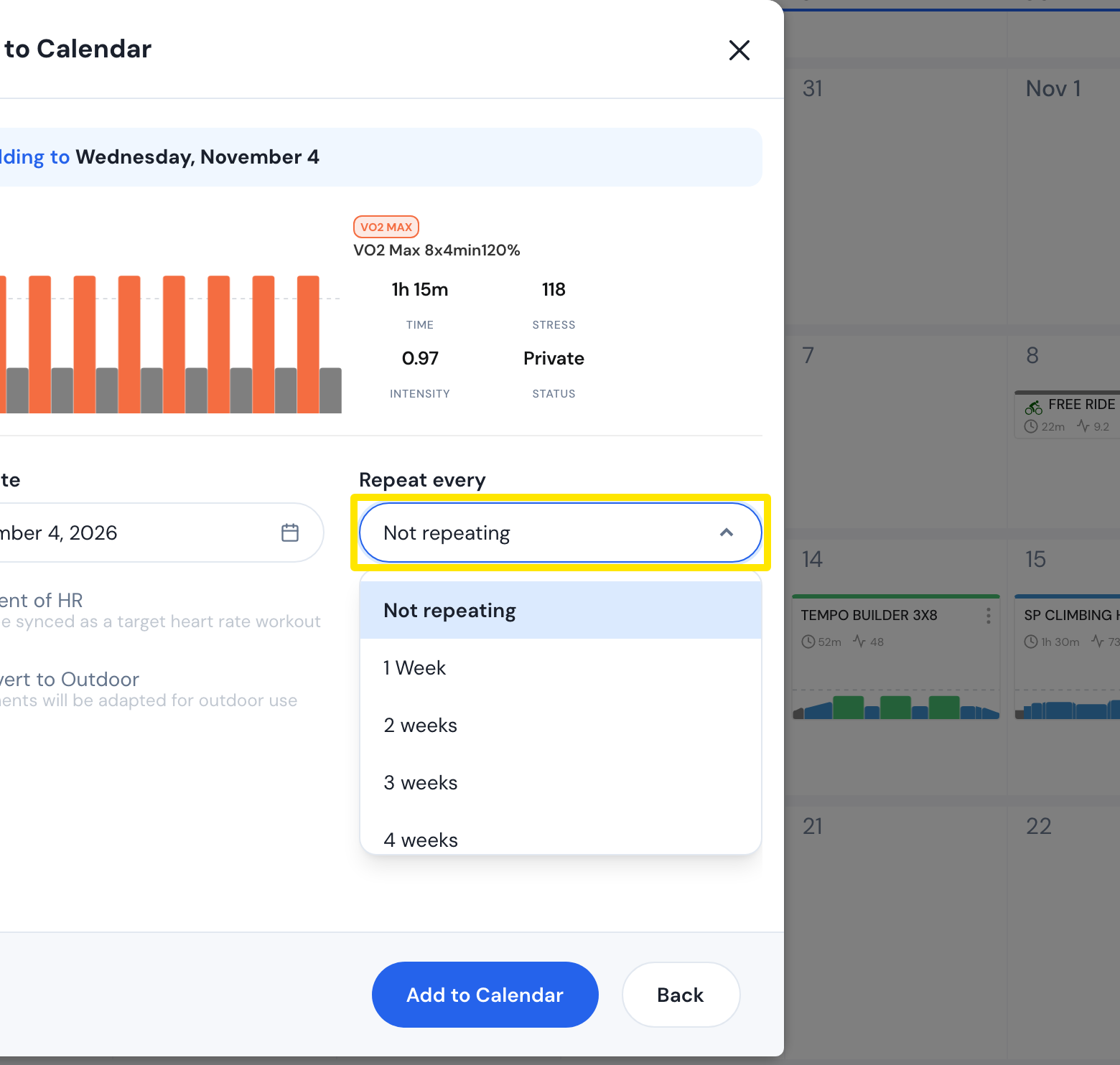 Where: Website · My Calendar · open it
- Under By days, click each weekday it repeats on, and set the End Date.
- Click Add to Calendar.
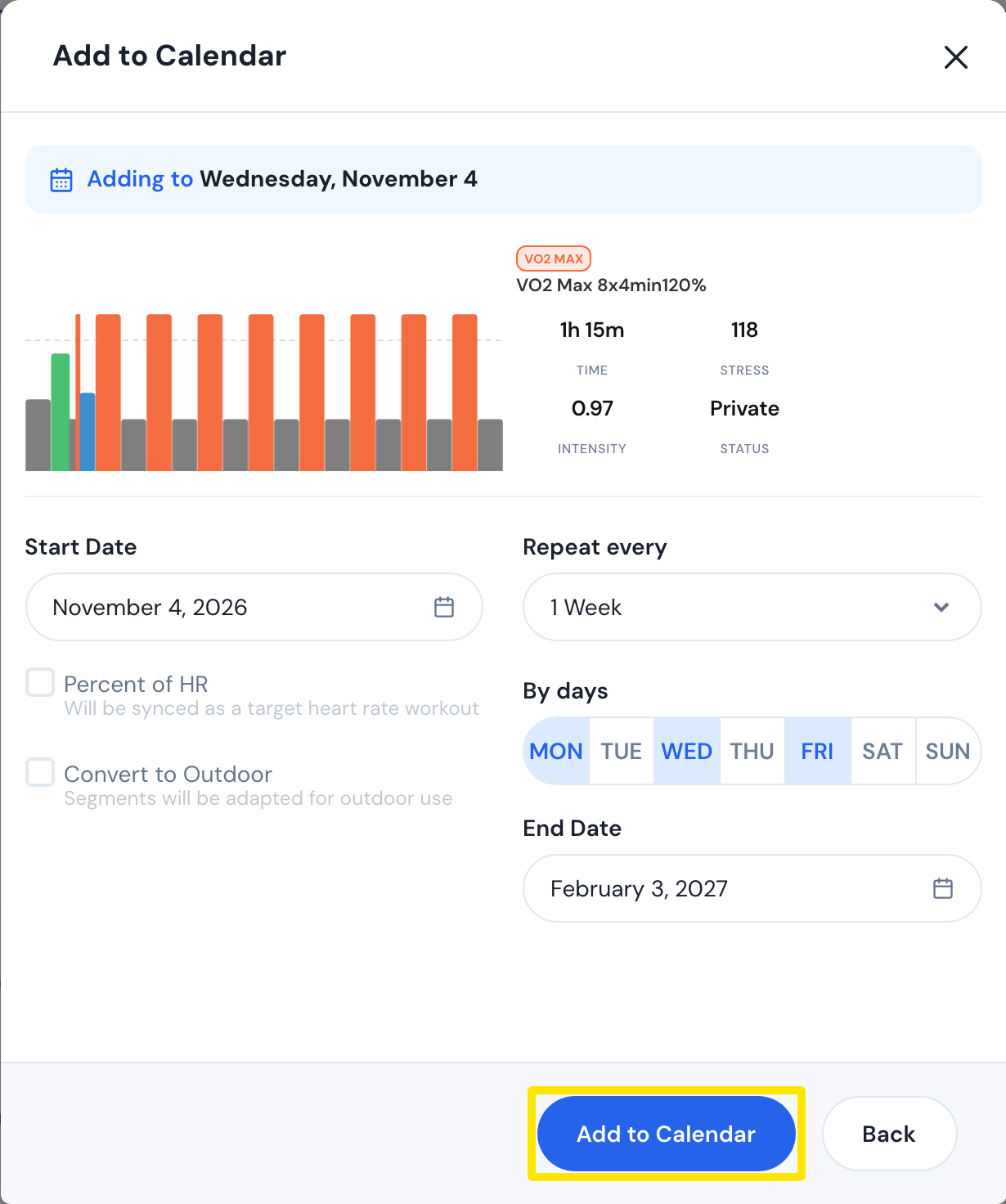 Where: Website · My Calendar · open it
Good to know: To make a workout already on the calendar repeat, use its 3-dots menu → Recurrence.
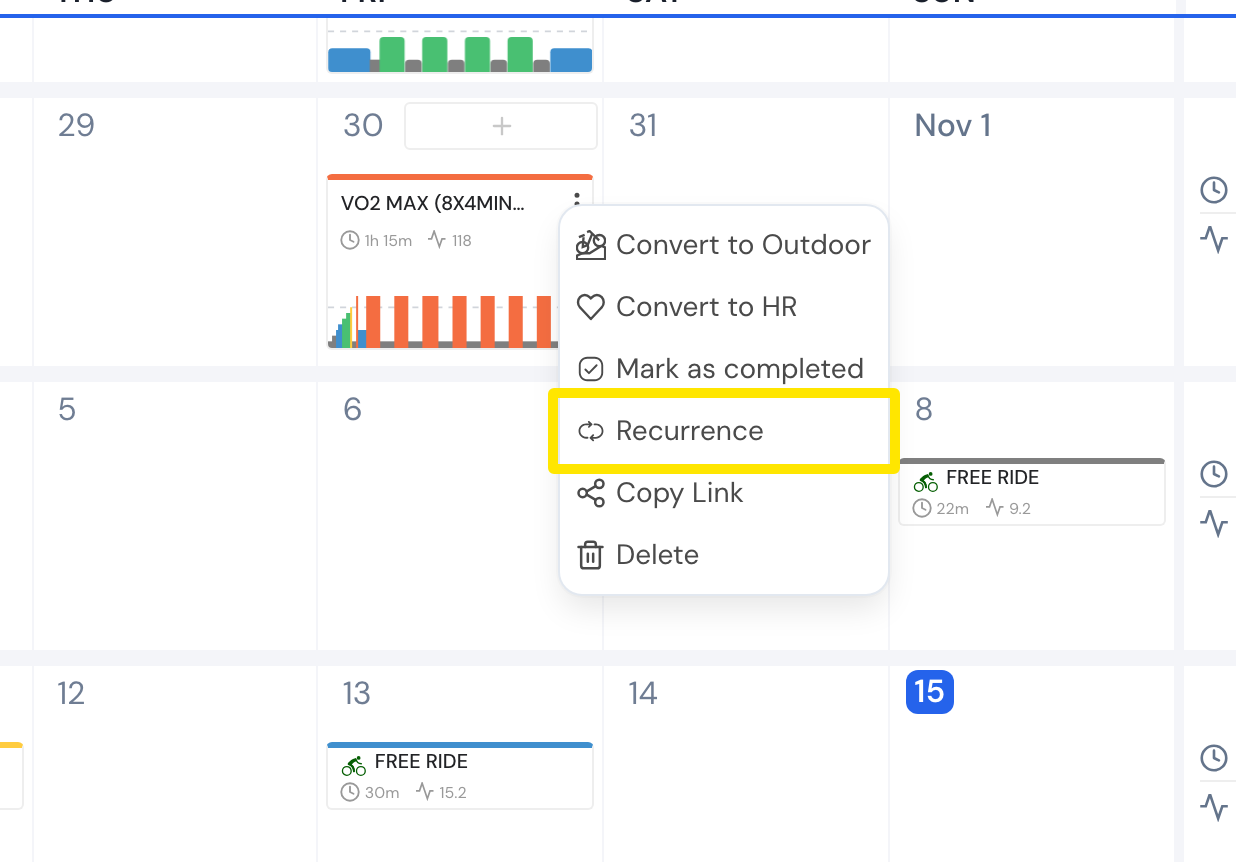 Where: Website · My Calendar · open it
Works on: Website; mobile app (a calendar workout's menu → Repeat). The desktop app has no calendar editing.