

How do I download all my completed rides?
TrainerDay has no download of all your rides at once: on the website, open each ride in My Activities and download its FIT or TCX file, or connect Dropbox in Connections to save a file of every future ride automatically.
- On the website, click My Activities in the left sidebar (open it).
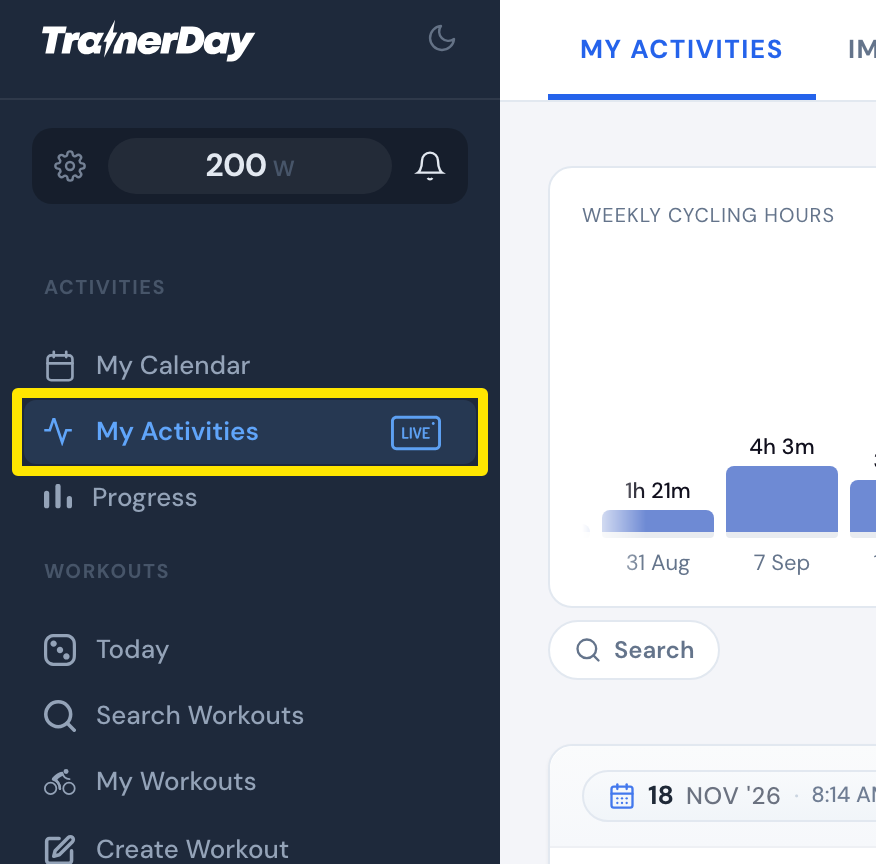 Where: Website · My Activities · open it
- Click the ride's name.
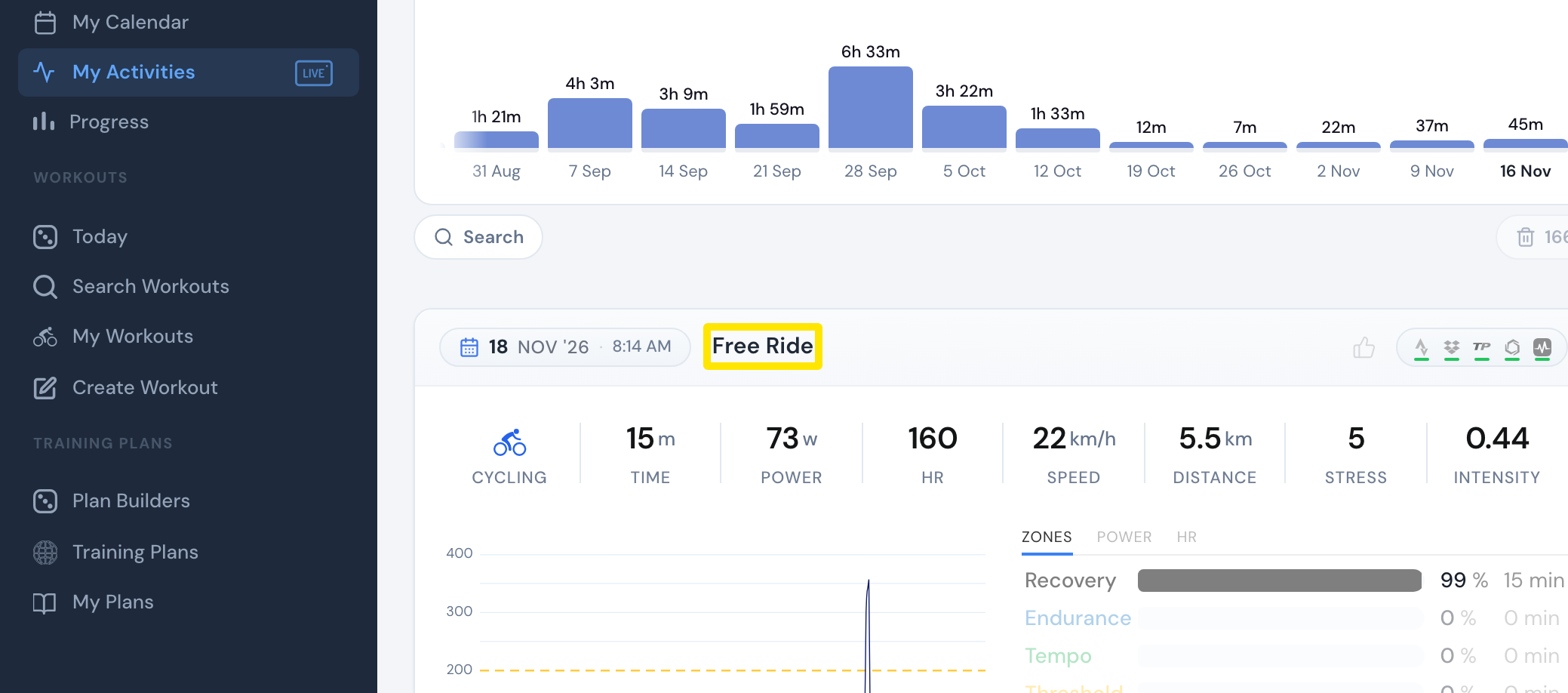 Where: Website · My Activities · open it
- On the ride's page, click the three-dots button at the top right, then Download FIT File (or Download TCX File). Repeat for each ride.
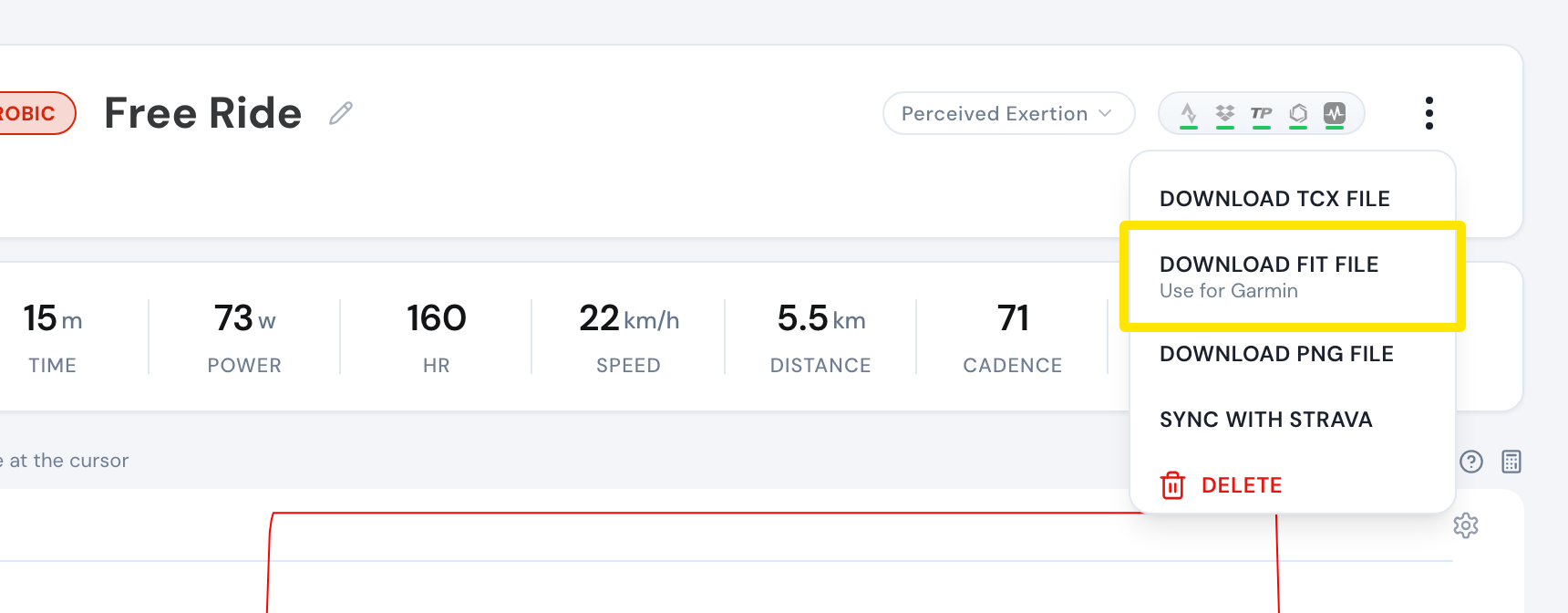 Where: Website · My Activities → click the activity's name · open it
- To get a file of every future ride, connect Dropbox on the Connections page (open it).
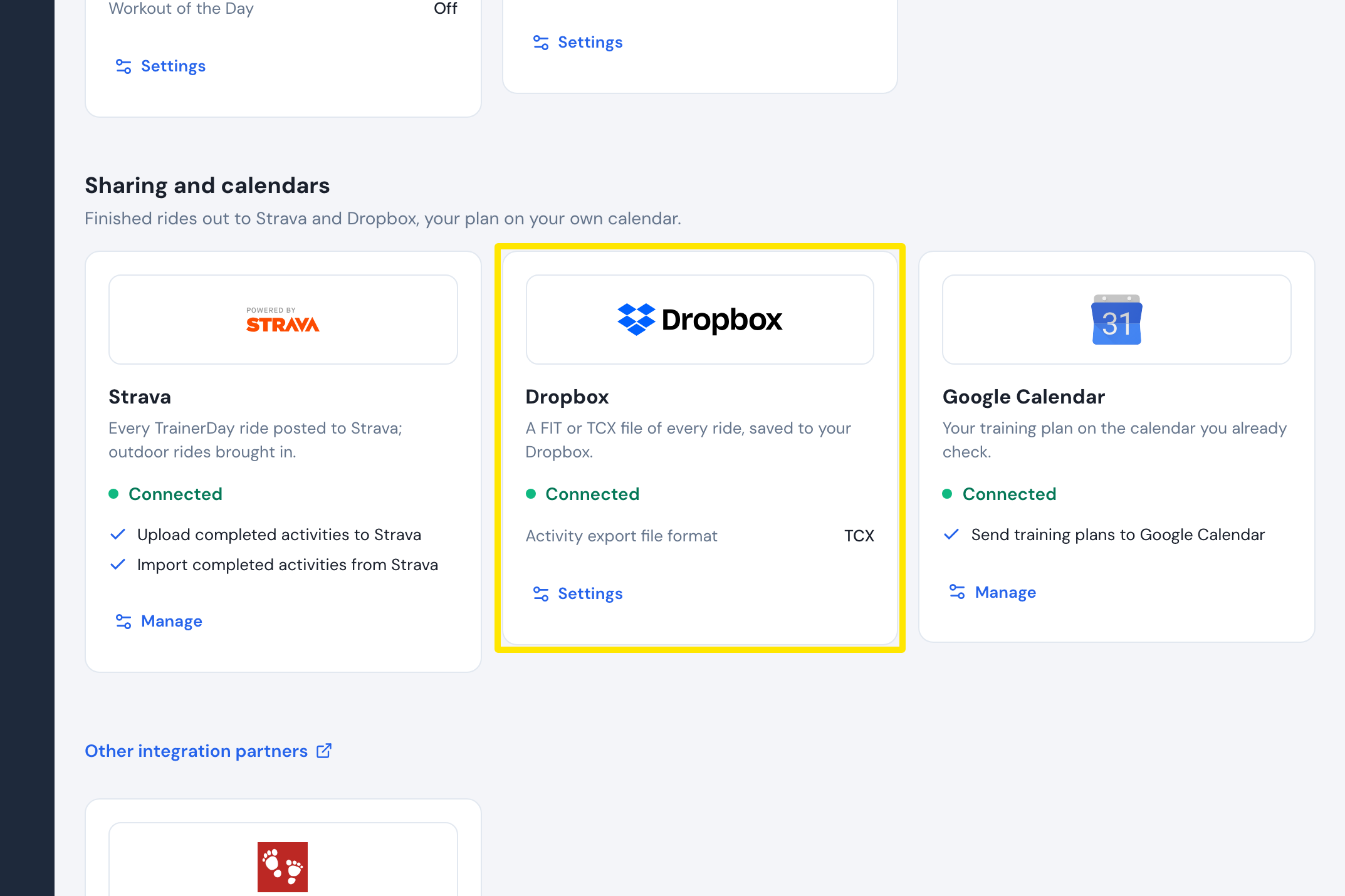 Where: Website · Connections · open it
Good to know: Only rides recorded in TrainerDay can be downloaded, not Strava or Garmin activities. Dropbox sync is for Pro members.
Works on: Website (three-dots menu), mobile app (Share on a ride: IMG/TCX/FIT), desktop app (TCX / FIT buttons on a ride), all one ride at a time.