

How do I export my ride data to a CSV or Excel file?
TrainerDay has no built-in CSV or Excel export, so export your ride as a FIT or TCX file from the mobile app's Activities tab and convert it to CSV with a third-party tool.
- In the mobile app, open the Activities tab and tap the ride you want.
- Tap the share icon at the bottom right to export the ride as a FIT or TCX file.
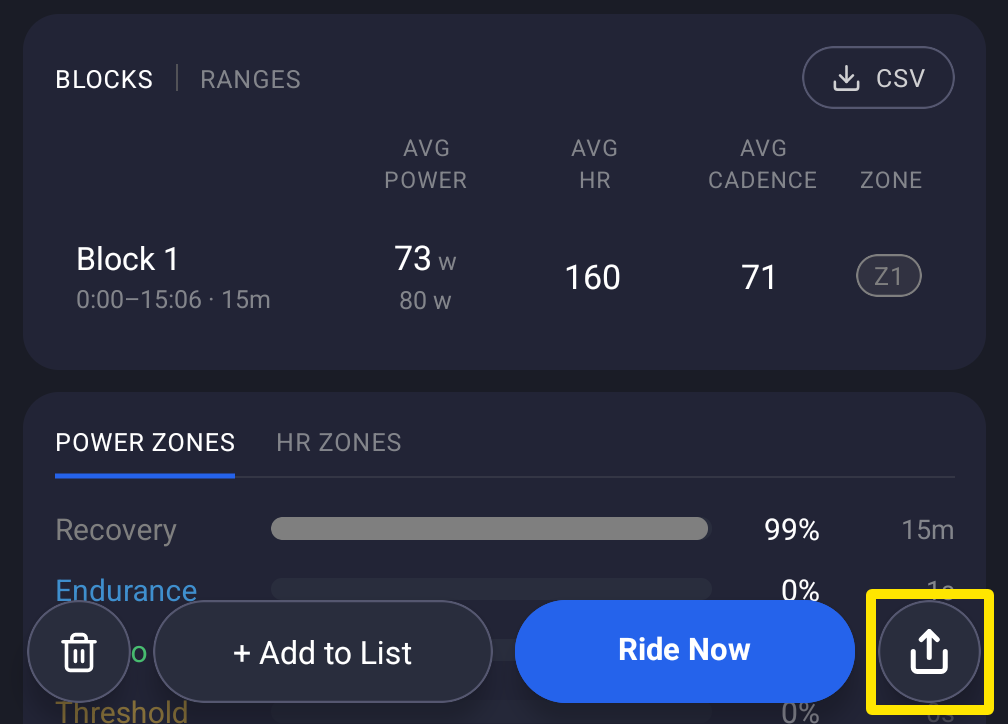 Where: Mobile app · Activities tab → tap a ride
- Open the FIT or TCX file in a third-party converter and save it as CSV. You can then open the CSV in Excel.
Good to know: TrainerDay cannot save rides directly as CSV or Excel files.