

How do I get my training plan workouts into Zwift?
Put the plan on your TrainerDay calendar, then on the website's Connections page connect Zwift and turn on Calendar Sync so the plan's workouts show up in the TrainerDay folder in Zwift.
- On the website, if the plan is not on your calendar yet, open it from My Plans, click Send or Download, choose TO MY CALENDAR, pick the Start Week Date and click Send Plan. A Coach Jack plan is put on your calendar by Coach Jack.
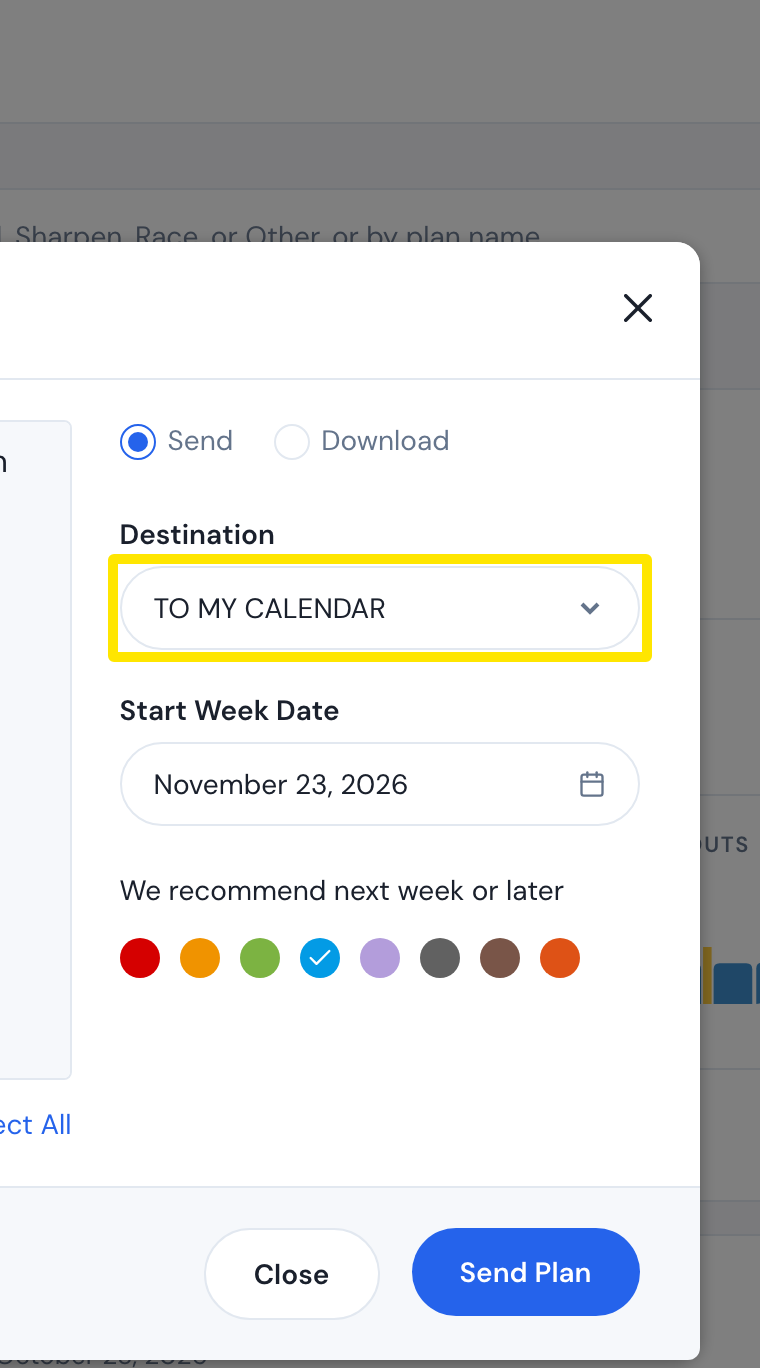 Where: Website · My Plans → a plan's menu → Send plan · open it
- Open the settings menu (gear icon) in the left sidebar and click Connections.
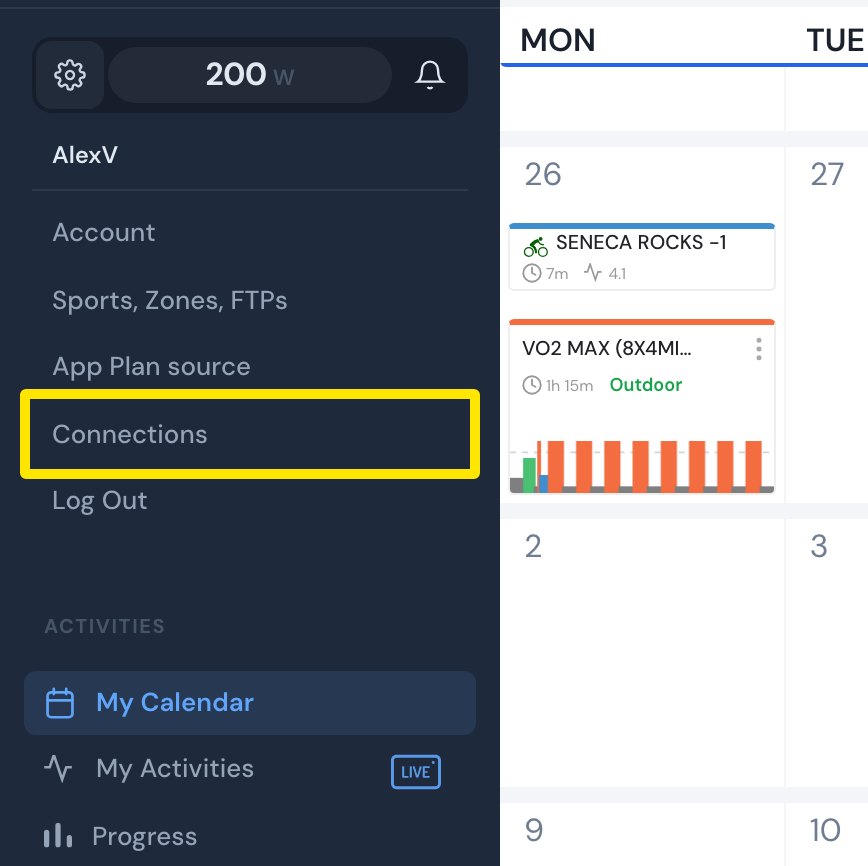 Where: Website · My Calendar · open it
- On the Zwift card, click Connect and sign in to Zwift.
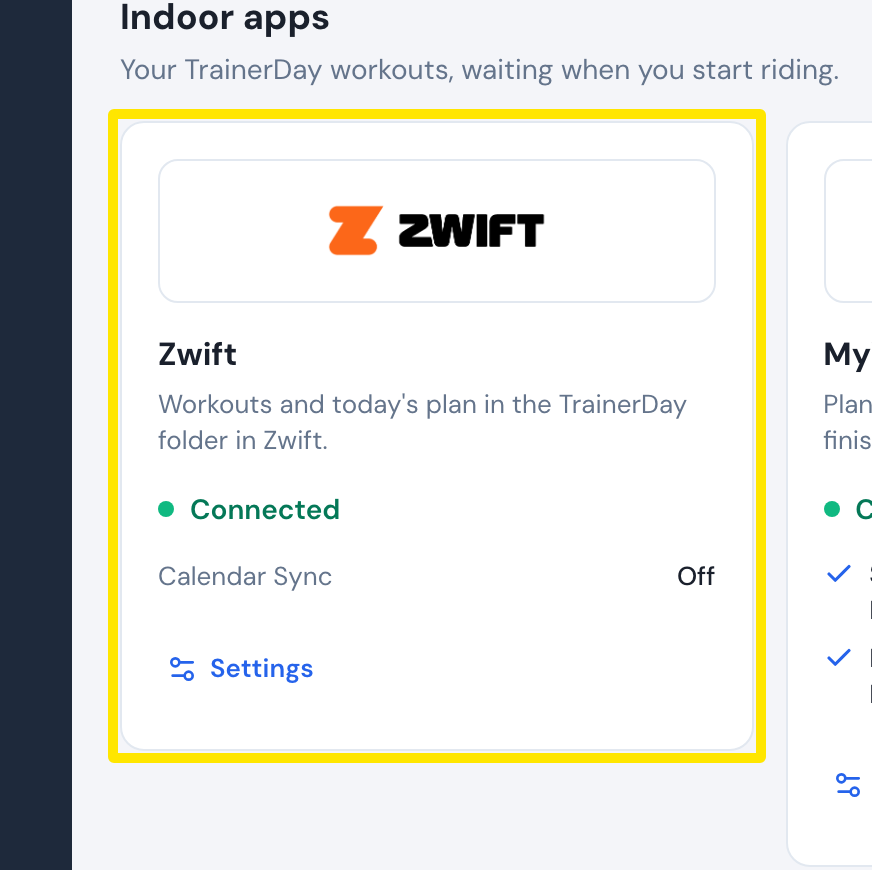 Where: Website · Connections · open it
- On the Zwift card, click Settings and turn Calendar Sync on.
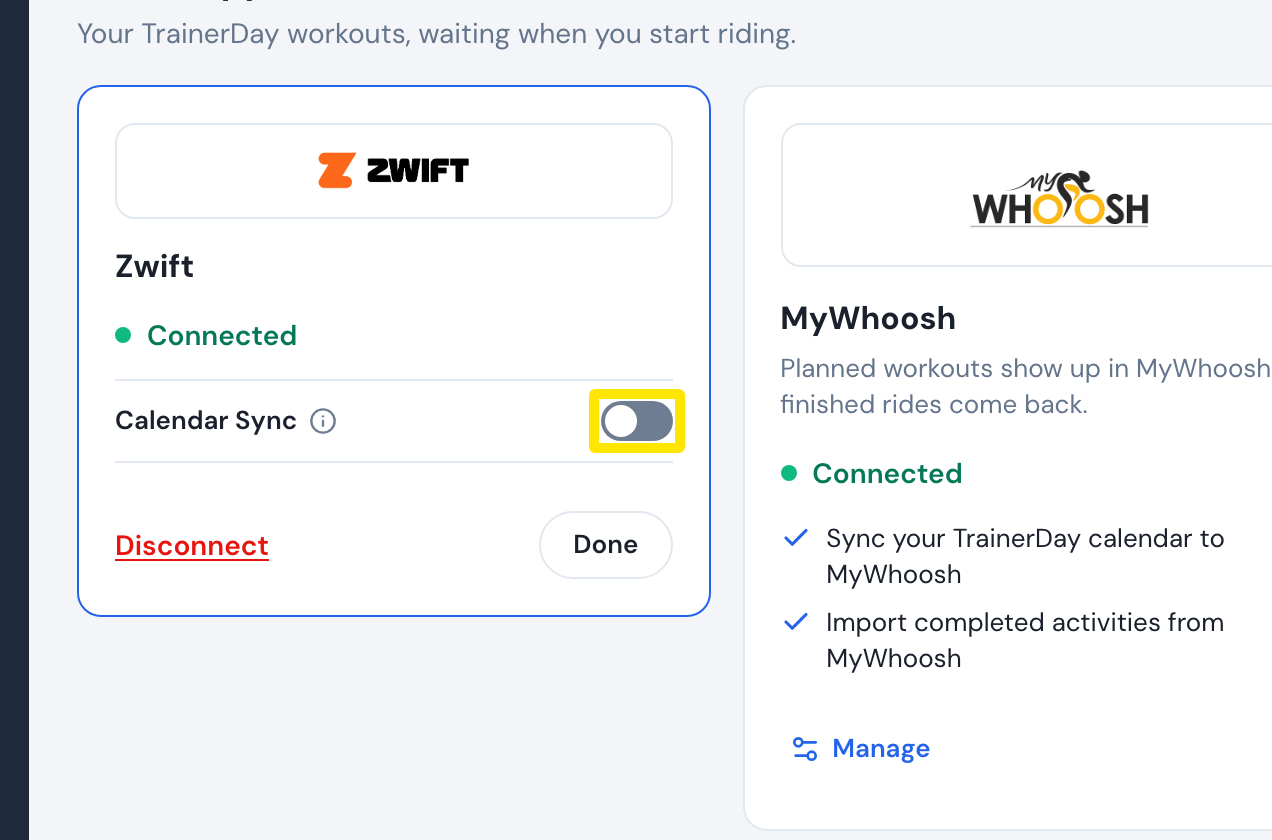 Where: Website · Connections · open it
- In Zwift, open the TrainerDay folder in your workouts. Each calendar workout is there on its own day.
Good to know: Calendar Sync is a paid TrainerDay feature, and it sends your calendar workouts from today through the end of next week.
Works on: Website and desktop app (Connections); the mobile app only sends single workouts to Zwift.