

How do I get my completed Zwift rides into TrainerDay?
TrainerDay doesn't take completed rides from Zwift directly, so connect Zwift to Strava or Garmin Connect and then connect that service on TrainerDay's Connections page to bring your rides in.
- In Zwift, connect Strava or Garmin Connect so Zwift posts your rides there.
- On the website, open the settings menu (gear icon) in the left sidebar and click Connections.
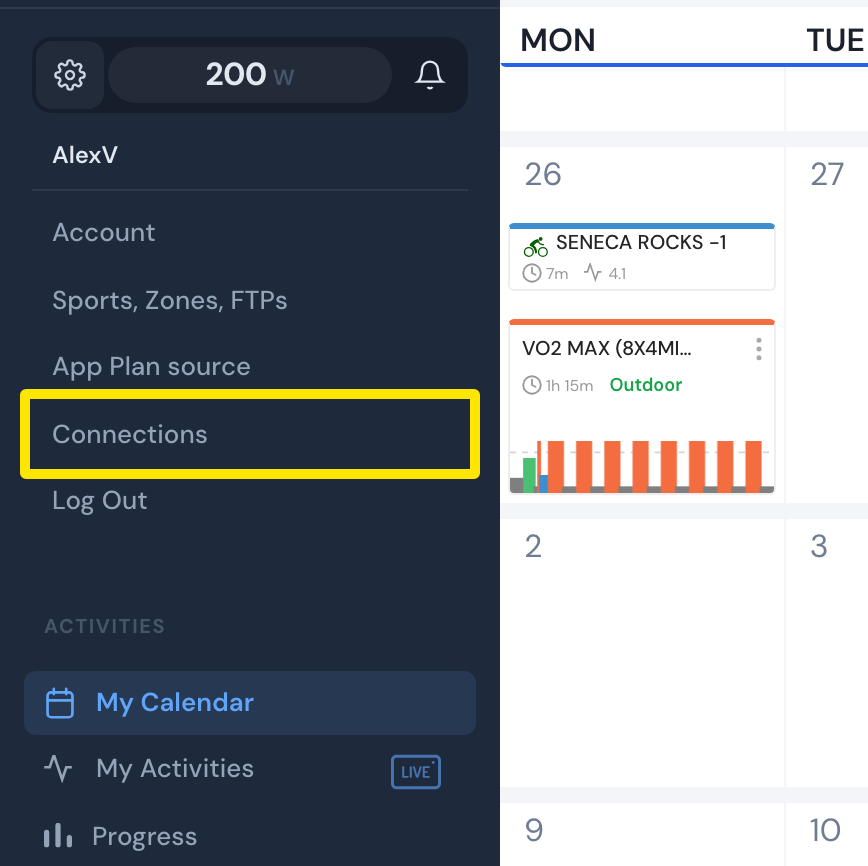 Where: Website · My Calendar · open it
- On the Connections page, go to the Strava card, click Connect with Strava and allow the permissions. To use Garmin instead, connect Garmin on the Garmin card.
- After Zwift posts a new ride to Strava or Garmin Connect, it comes into My Activities. Find My Activities under ACTIVITIES in the left sidebar.
Good to know: Any Zwift ride posted to Strava is imported, including free rides. Power, heart rate and cadence come in only on paid accounts. Free accounts get the ride's summary.
Works on: Website, mobile and desktop all have Connections. TrainerDay's Zwift connection sends workouts to Zwift but does not bring rides back. Strava and Garmin bring the rides in.