

How do I make a workout longer or shorter?
To make a workout longer or shorter on the TrainerDay website, open it in the workout editor (or copy it if someone else made it), change the rows' Minutes or a repeat block's count, and save.
Most riders who want a longer or shorter ride simply pick a workout of a different length. See How do I swap a workout for one of a different length? If you just want to make one scheduled workout longer or shorter, use the quick length change instead of editing its intervals: How do I quickly change the length or intensity of one scheduled workout?
- On the website, open the workout's page (click it in My Workouts) and click the three-dots menu.
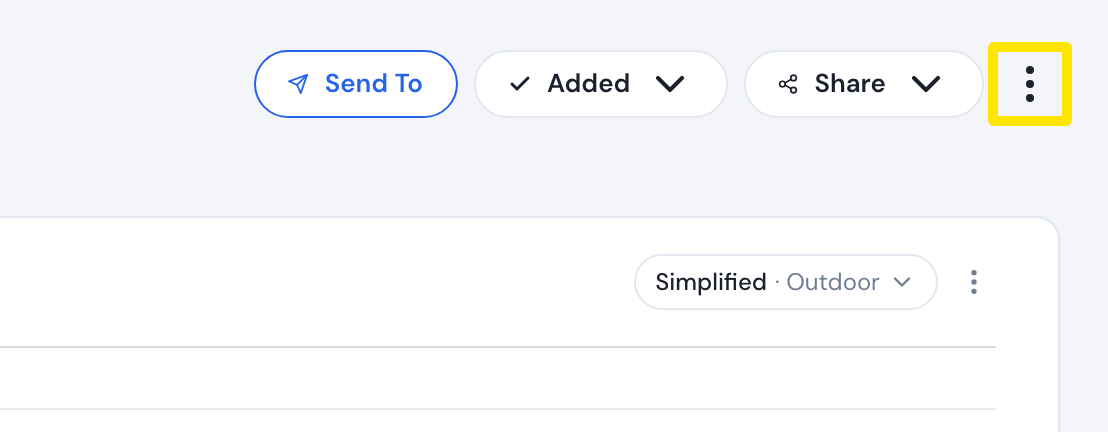 Where: Website · a workout's page (click a workout in Search Workouts or My Workouts)
- Click Edit workout (only for workouts you made). For someone else's workout, click Copy Workout: the editor opens a copy that becomes your own workout.
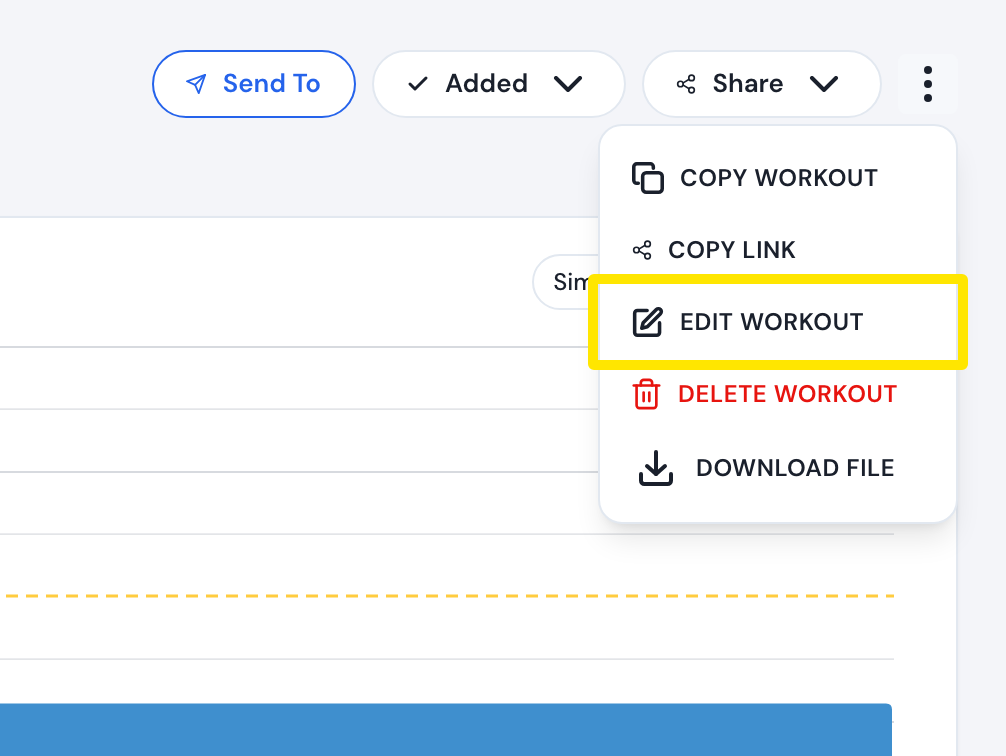 Where: Website · a workout's page → three-dots menu
- In the workout editor, change the Minutes of the rows, or a repeat block's count: click the block's Time cell, set Repeats, then click Apply.
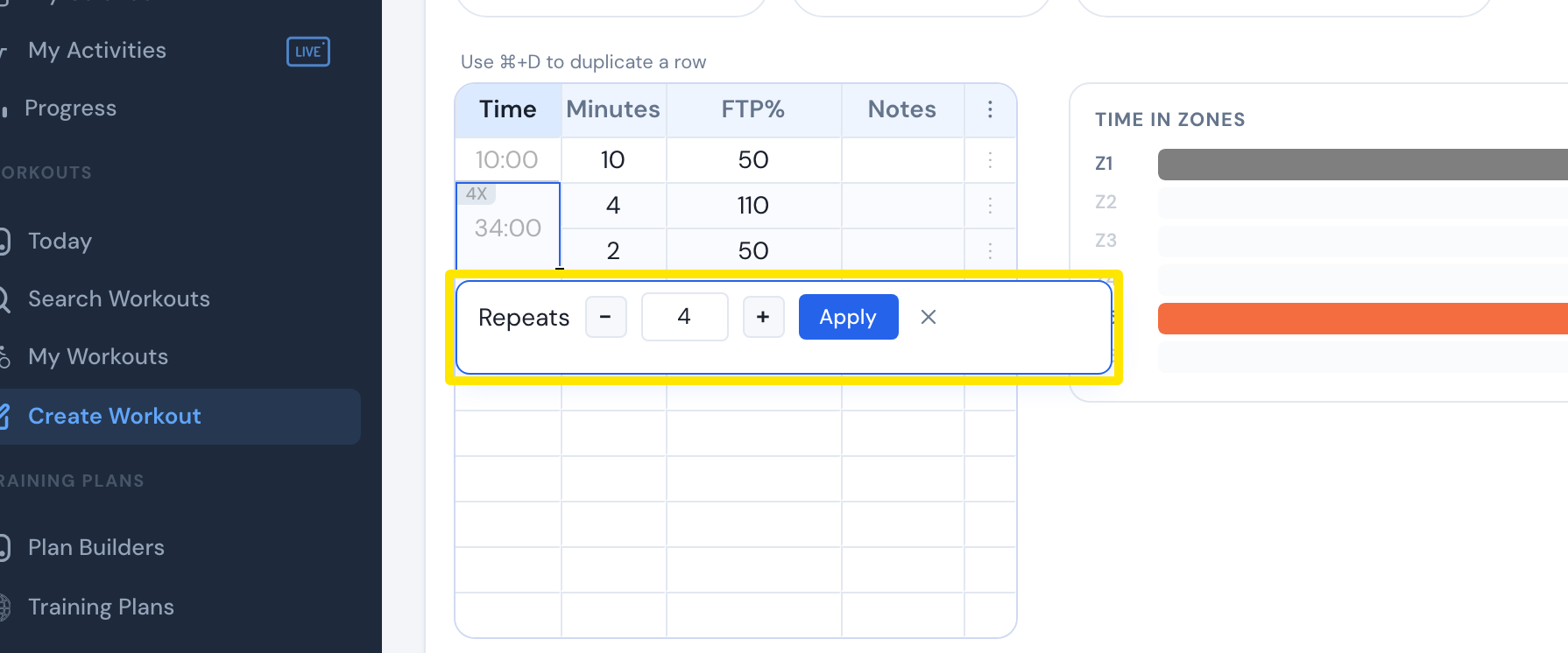 Where: Website · workout editor
- Click Save workout, then Save in the window that opens.
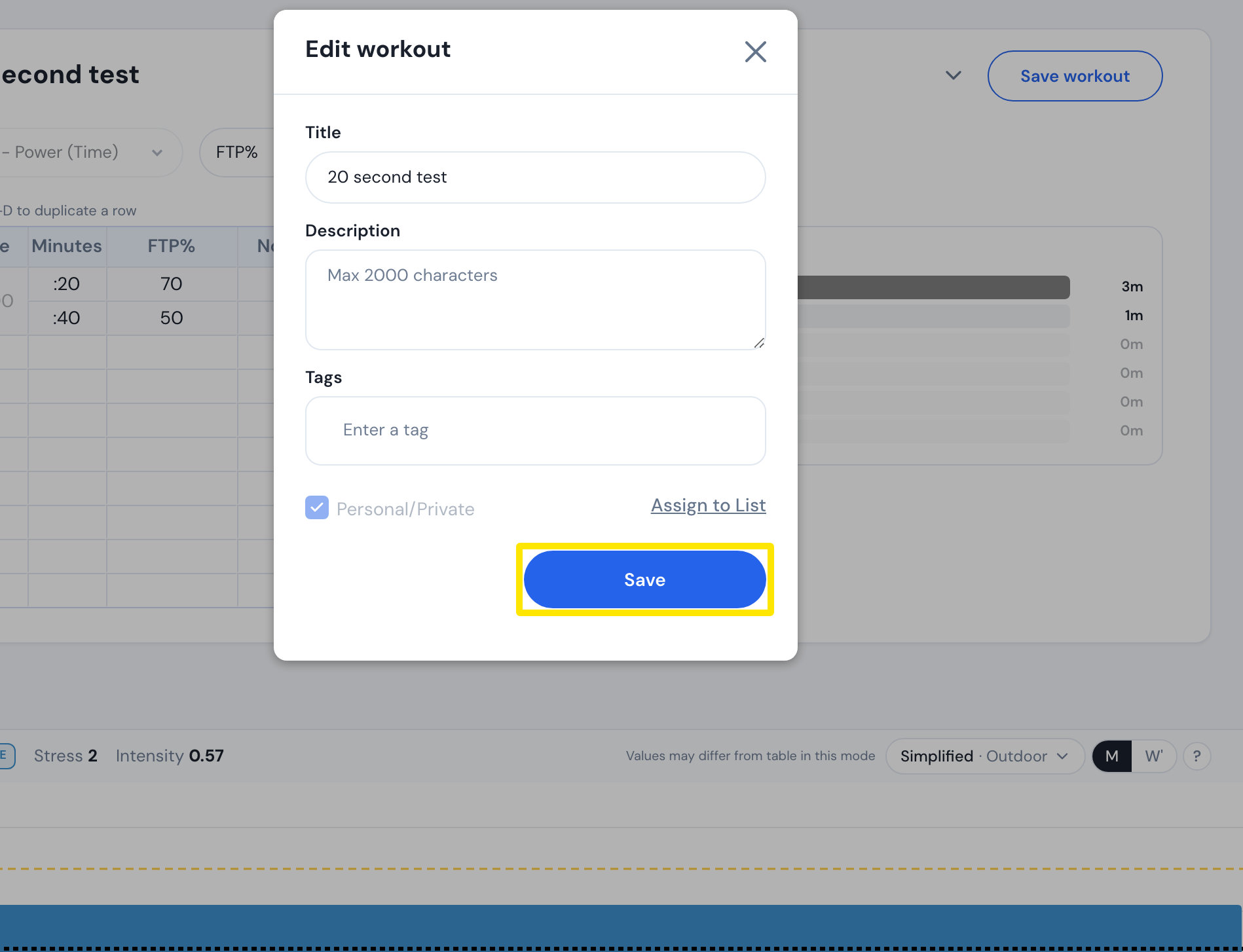 Where: Website · workout editor → Save workout → save dialog
Good to know: The editor has no button that stretches or shrinks the whole workout. The length changes only with the rows' Minutes and the repeat counts.
Works on: Website editor. In the mobile app, the pencil on a workout card opens the AI Workout Builder (Pro) to describe a change. The desktop app has no editor.