

How do I swap a workout for one of a different length?
To swap a workout on My Calendar for one of a different length, delete it from its ⋯ menu, then add another workout on the same day with + → Add a Workout.
If you only want the same workout a bit longer or shorter, you can change its length right on the calendar: see How do I quickly change the length or intensity of one scheduled workout?
TrainerDay has no swap button, so you replace the workout yourself:
- On the website, click My Calendar in the left sidebar (app.trainerday.com/calendar).
- Open the ⋯ menu of the workout you want to replace and click Delete.
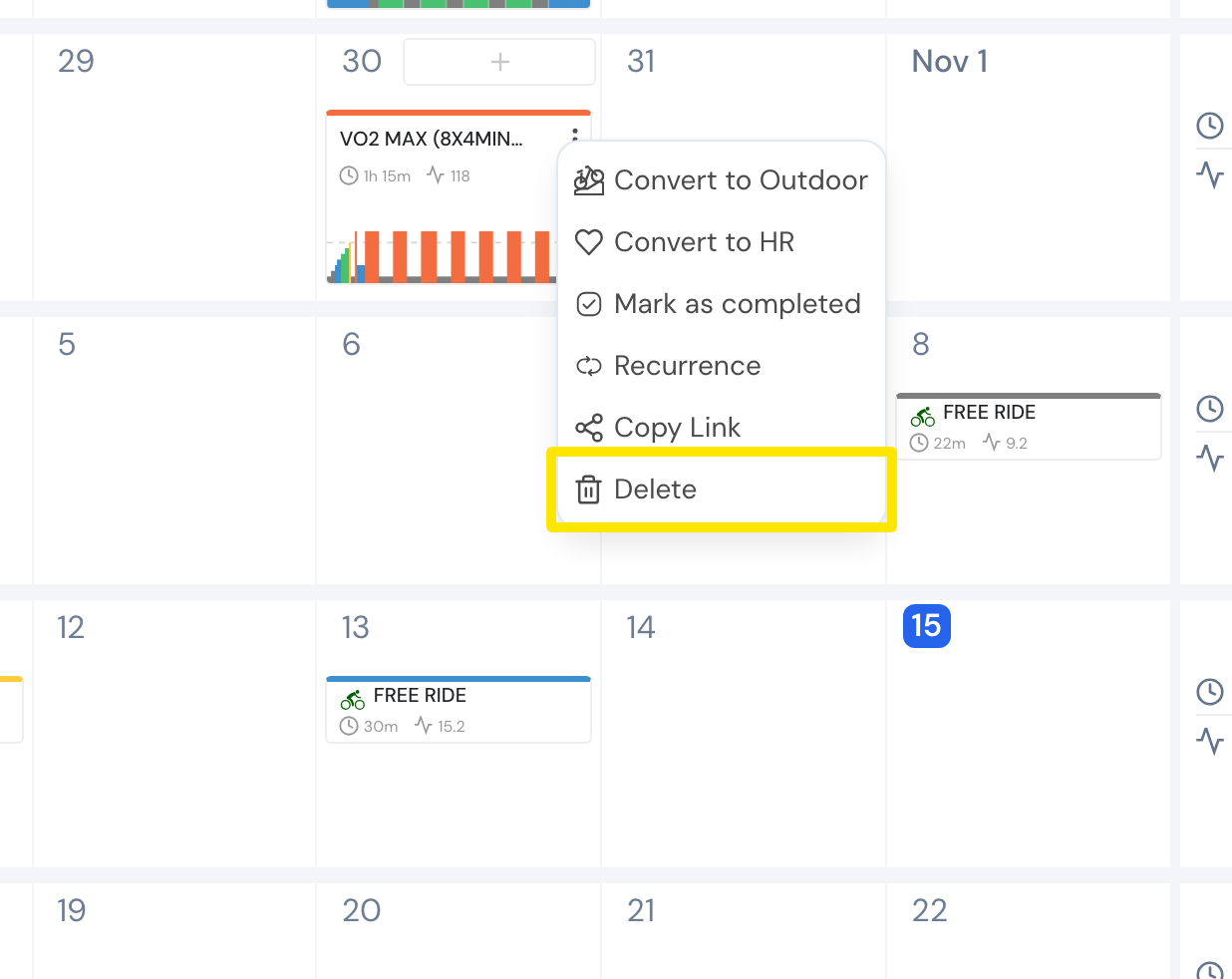 Where: Website · My Calendar · open it
- Point at the same day and click the + that appears.
- Click Add a Workout.
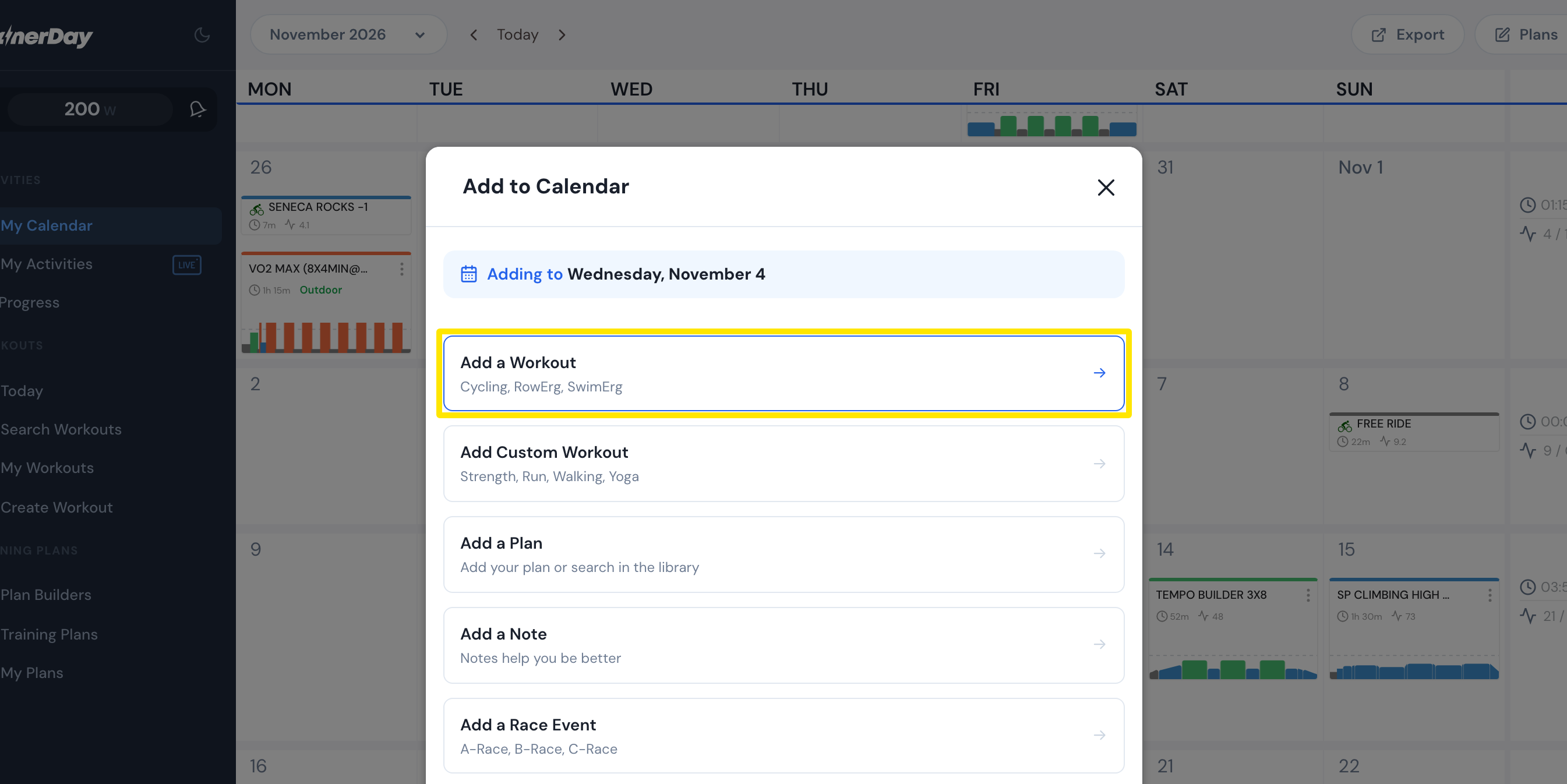 Where: Website · My Calendar · open it
- Under Search Workouts or My Workouts, each workout shows its length. Click the one you want.
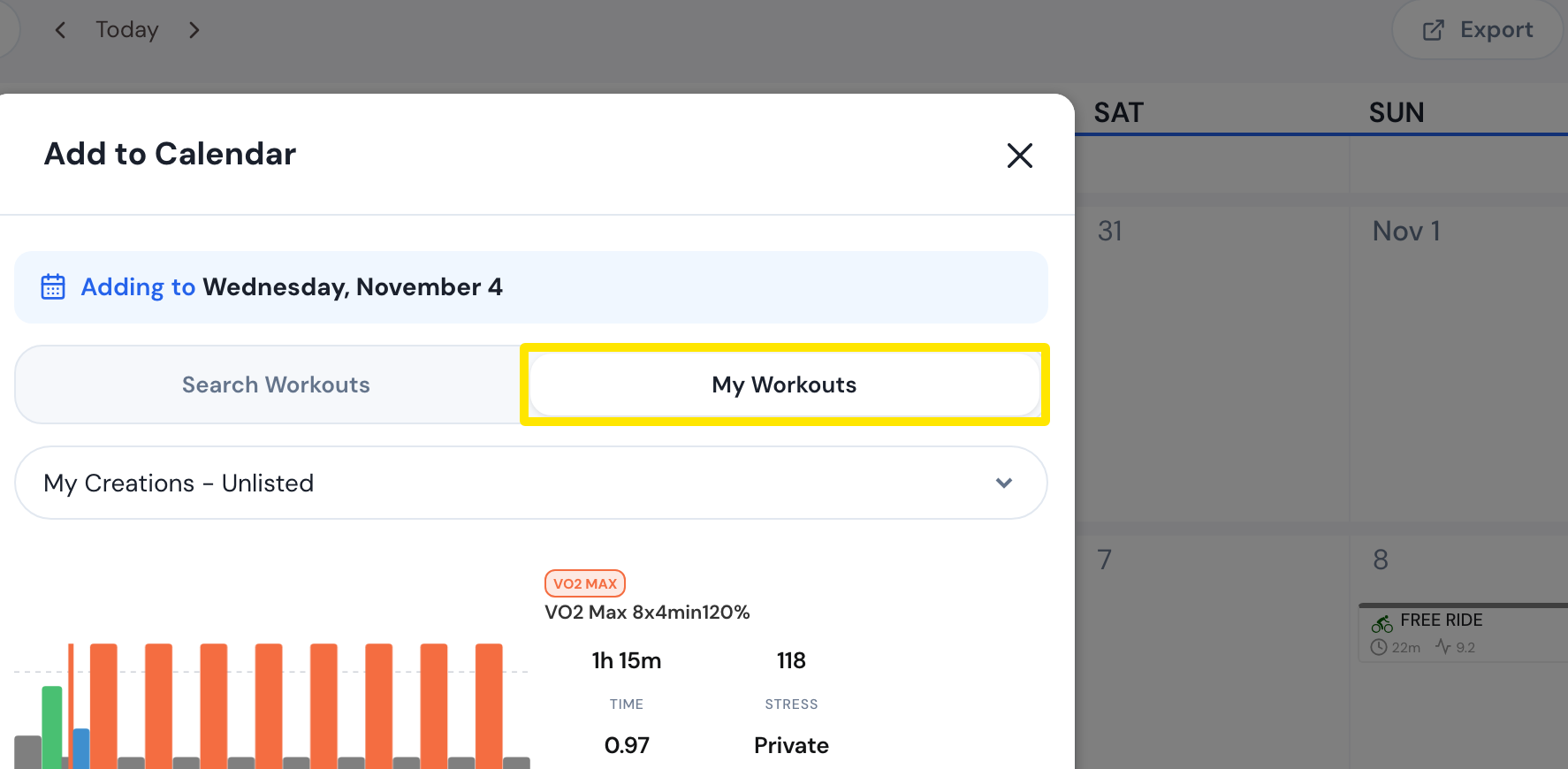 Where: Website · My Calendar · open it
- Check the date and click Add to Calendar.
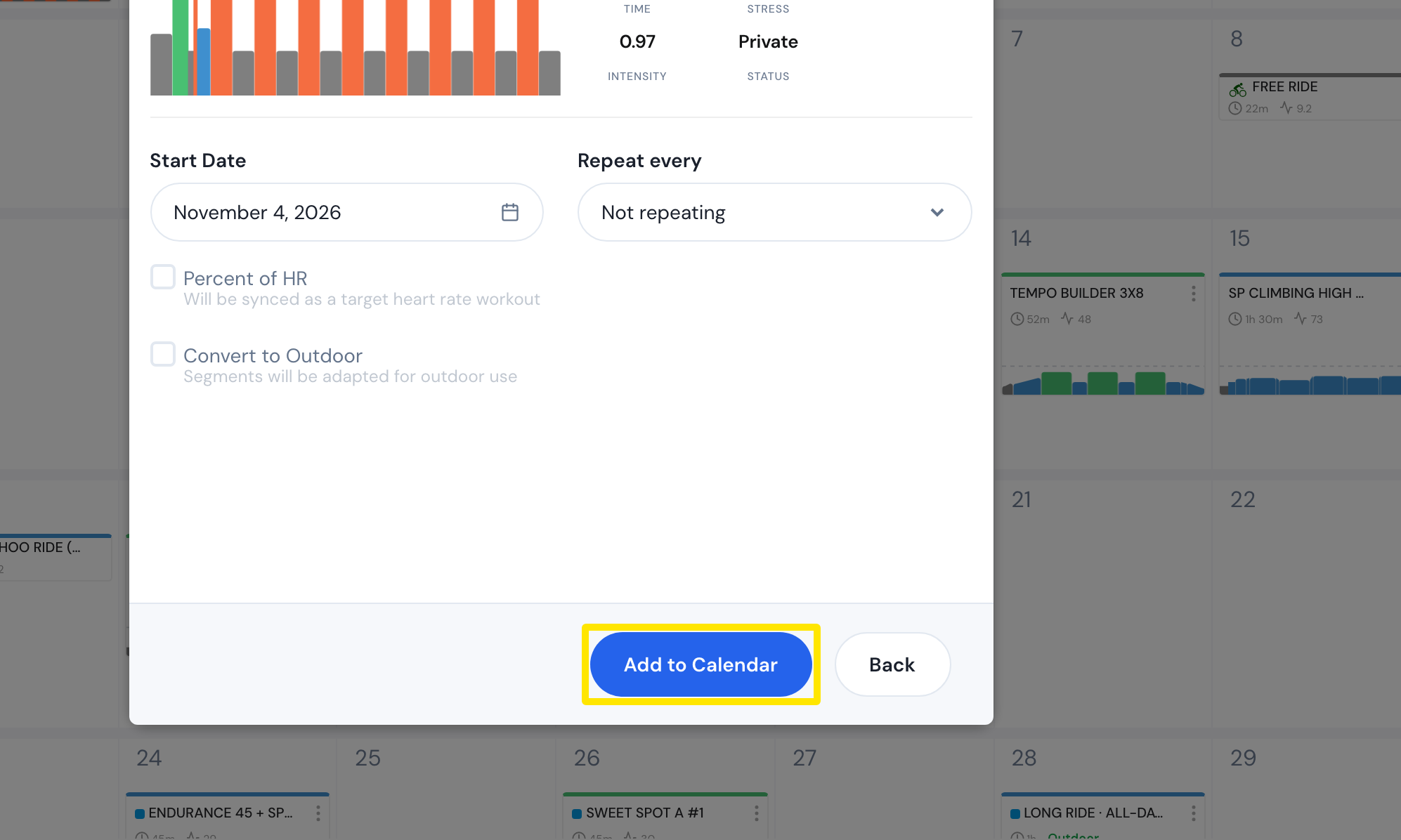 Where: Website · My Calendar · open it
Good to know: You can't swap workouts by equivalent TSS. This works the same for workouts from a Coach Jack plan.
Works on: Website. The mobile app's calendar has Delete in a workout's long-press menu.