

How do I create a running training plan?
Create a running training plan on the TrainerDay website from My Plans: set Sport to Running, drag running workouts onto its days, then send it to My Calendar, Garmin or COROS.
- On the website, open My Plans in the left sidebar (app.trainerday.com/plans) and click Create a new Plan.
- In the Create Plan window set Sport to Running, type a Plan Name, pick Target Distance (5K, 10K or Marathon), Elevation and Number Of Weeks, and click Done.
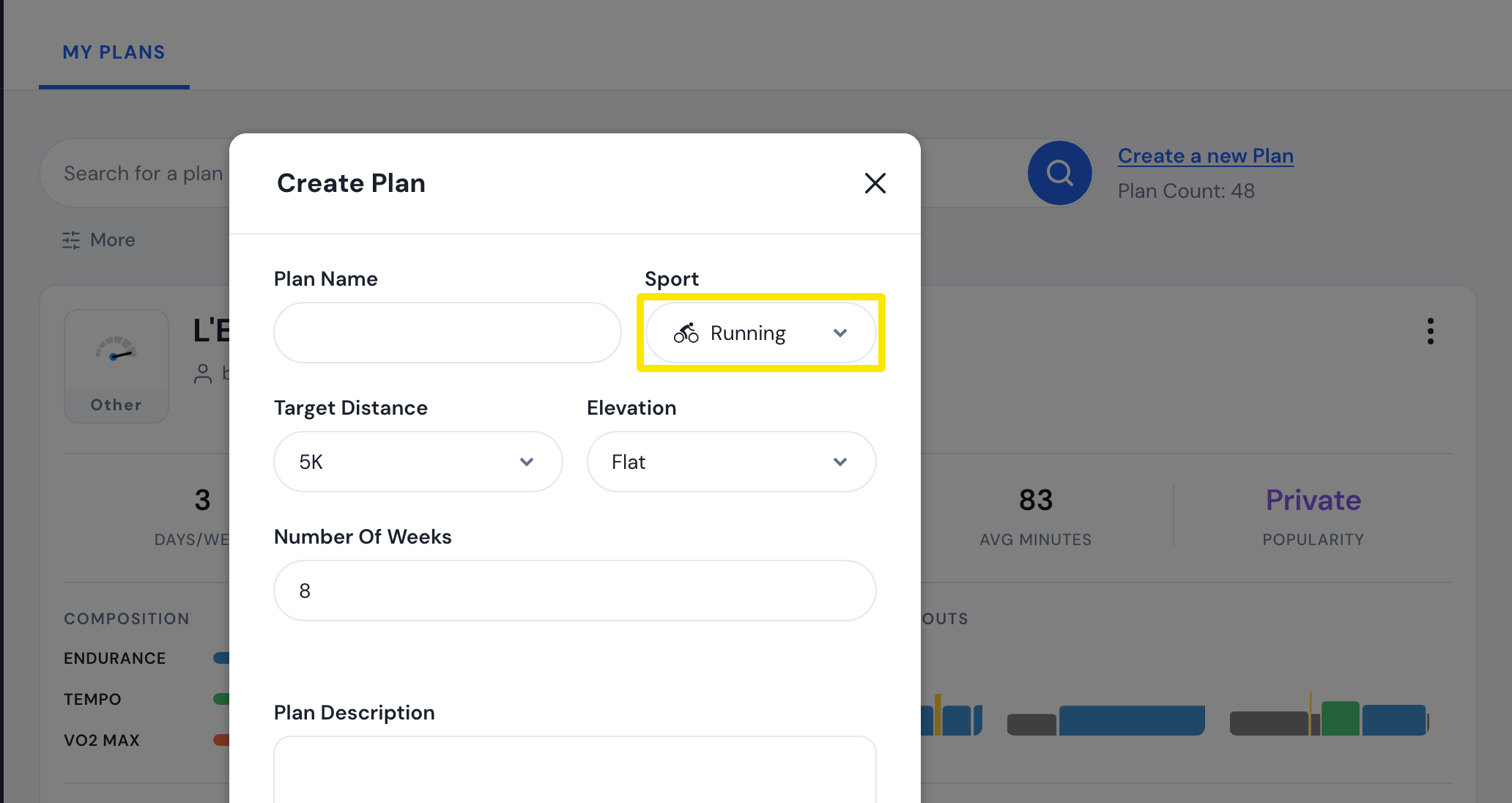 Where: Website · My Plans → Create a new Plan · open it
- The plan's page opens with My workout library beside it. Pick a list, drag running workouts onto the plan's days, then click Save Changes.
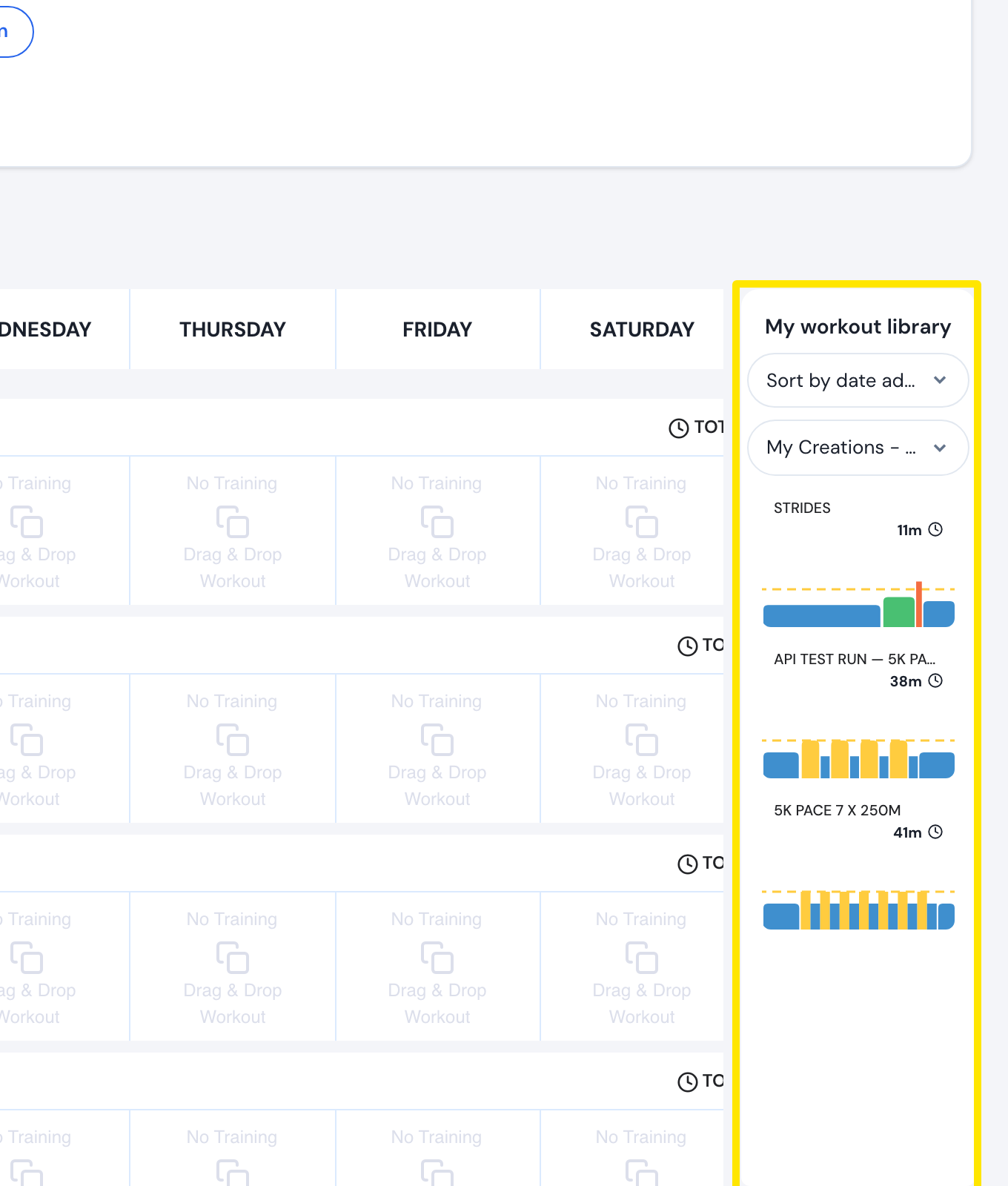 Where: Website · a plan's page
- On the same page, click Send Plan, choose TO MY CALENDAR (Pro), TO GARMIN or TO COROS, set the Start Week Date and send.
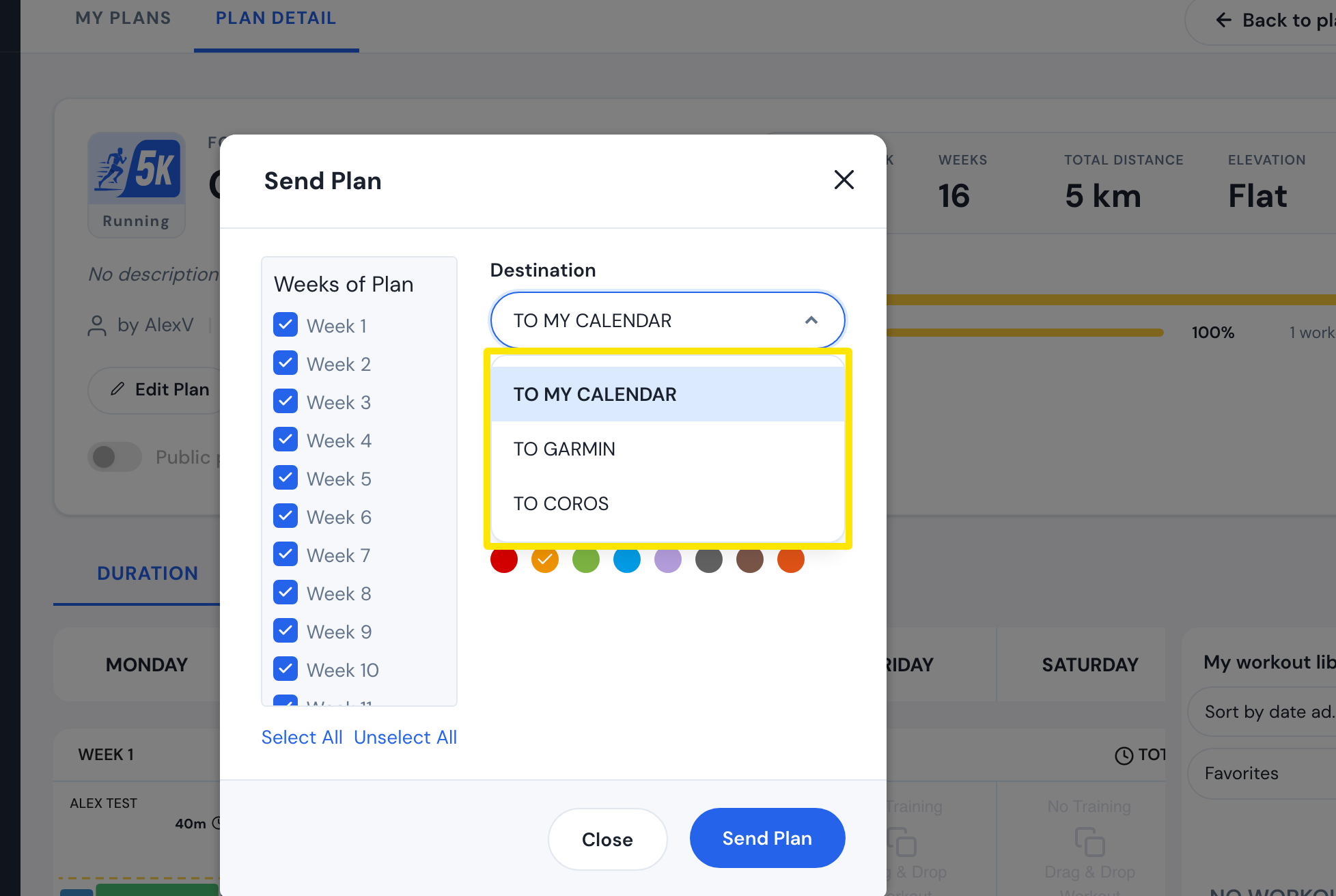 Where: Website · a plan's page → Send Plan
Good to know: The Sport menu shows only when more than one sport is set under My Sports on your profile; if Running is your only sport, the plan is a running plan already. A plan's sport can't be changed later.
Works on: Website only; the mobile and desktop apps have no plan editor.