

How do I change the day my training week starts?
You can't change the day your training week starts: TrainerDay's website, mobile app and desktop app always run the week Monday to Sunday, with no setting to change it.
If you want your plan's workouts on different days instead, see How do I shift a whole training plan to other days?. To begin a plan on a different date, see How do I change the start date of a training plan?
- On the website, open My Calendar from the left sidebar (app.trainerday.com/calendar). The week always runs MON to SUN.
 Where: Website · My Calendar · open it
- Next, go to the Account Settings page at app.trainerday.com/account/settings. There is no week start setting there: Preferences only has Time Zone, Language and Units.
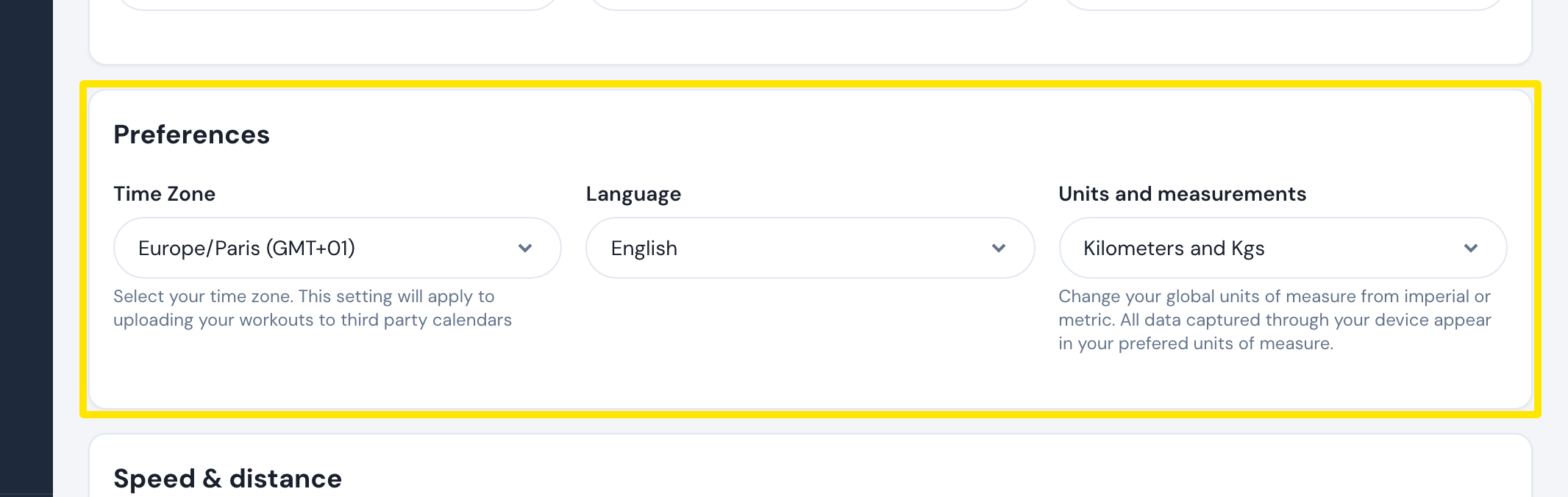 Where: Website · Account · open it
Good to know: In the mobile app, a training plan added to the calendar starts on a Monday.
Works on: None. The website, mobile app and desktop app have no week start setting.