

How do I see speed and distance during and after a ride?
After a ride, open My Activities on the TrainerDay website to see the Speed and Distance of each ride; to see them while you ride, use the phone app or desktop app player.
If you want to see speed and distance while you ride, see How do I see speed and distance during a ride in the phone app?
- On the TrainerDay website, click My Activities in the left sidebar (https://app.trainerday.com/activities).
- Find your ride. Its stats row shows SPEED and DISTANCE.
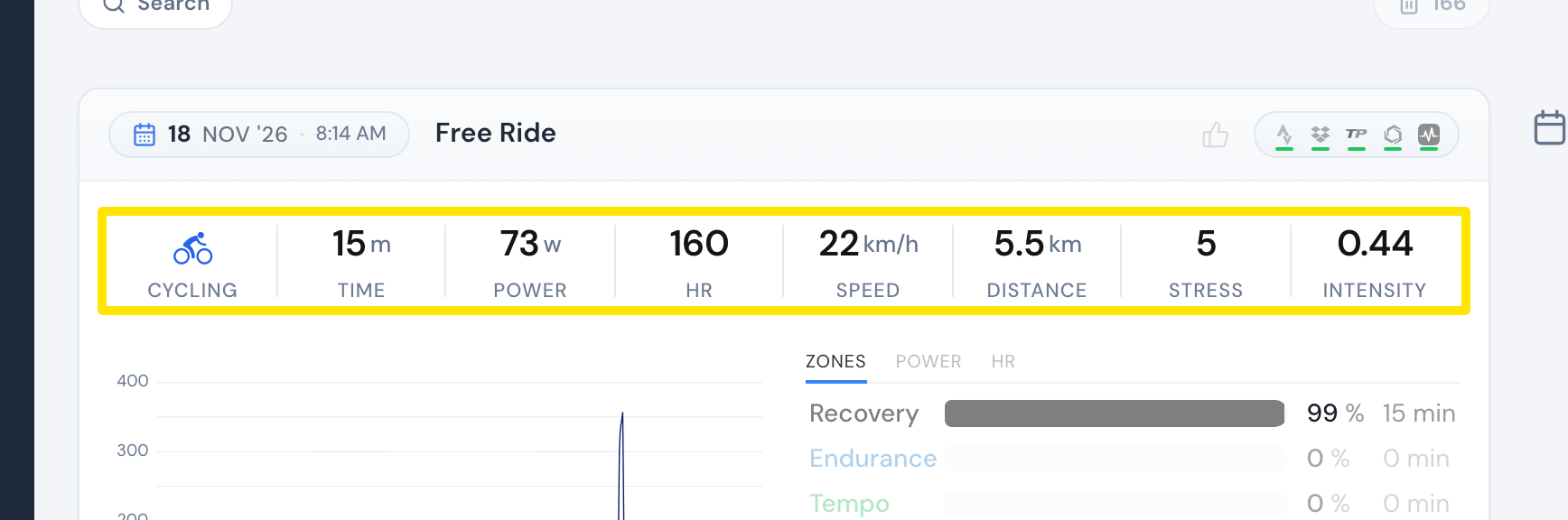 Where: Website · My Activities · open it
Good to know: Indoor bike rides always get a distance calculated from power. TrainerDay sends it to Strava, and FIT and TCX downloads include speed and distance.
Works on: Website (after the ride). During the ride, the desktop app always shows speed and distance in the second row of the bottom bar. In the phone app, tap the target % in the bottom bar.